 USA + International
 OWC Canda
 OWC Europe
How to Choose a Memory Card Reader For Faster Offloads
Your card reader could be slowing down every offload. Learn how to match card formats, connection speeds, and storage with the right OWC Atlas reader.
Wayne Grayson • Oct 26, 2026
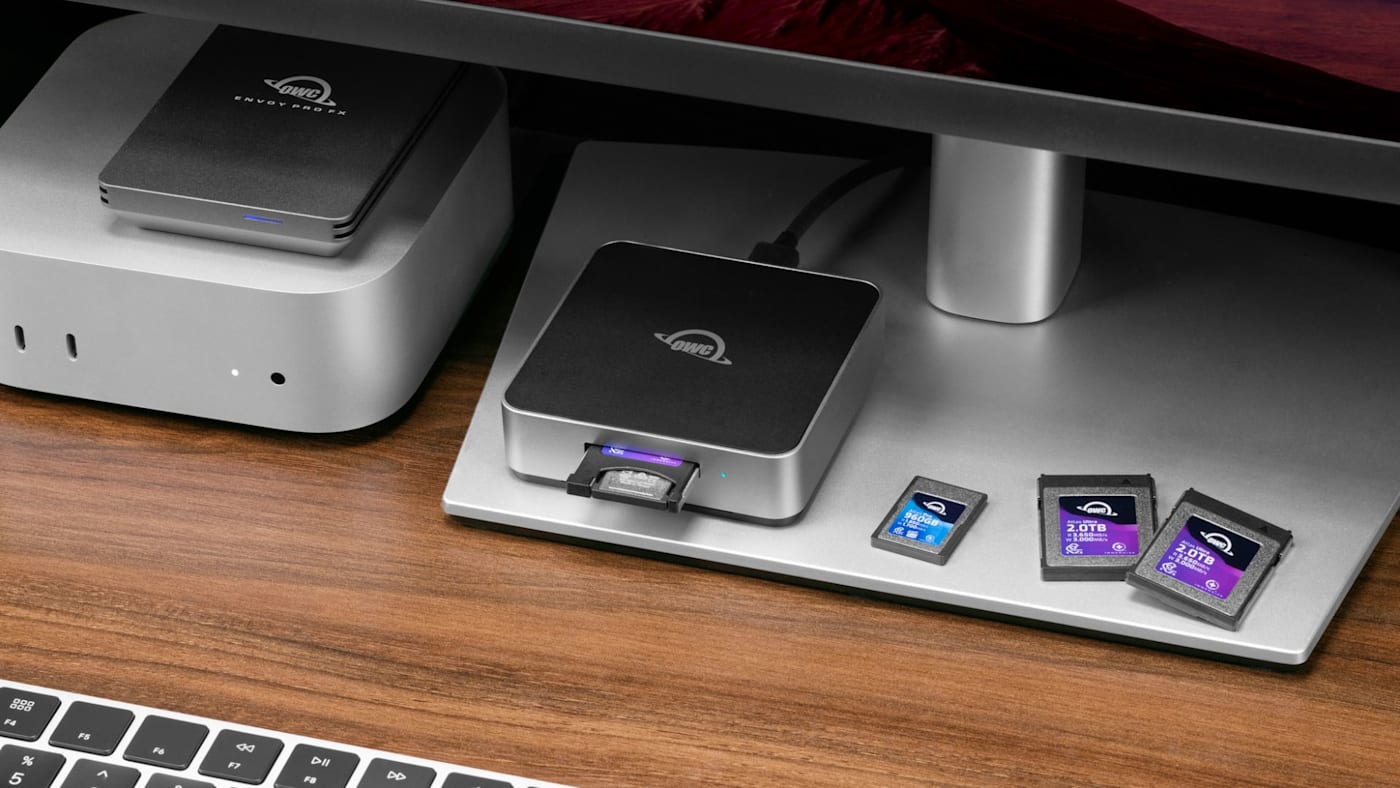
Fast memory cards are worth the investment for two reasons: First, they ensure you can shoot high-resolution images and high-bitrate video without bogging down during a shoot. Second, they save you a ton of time after the shoot through fast transfers of your images and video to another drive or your computer.
But a costly error we often see is not ensuring that your card reader—and your entire image offload pipeline—is as capable as your card.
A memory card can only offload as quickly as the path between that card and its destination allows. Pair a fast CFexpress card with a slower reader, connect the reader through a limited port, or send the files to storage that can’t keep up, and you simply aren't taking full advantage of your investment.
Our OWC Atlas memory card readers give you multiple ways to ensure that path is as capable as your card, but also versatile enough to handle multiple cards and even multiple card types. From simultaneous dual SD-card transfers to high-speed CFexpress ingest, let’s take a look at how the Atlas ecosystem gives you peace of mind that your offload keeps up with your expectations.
Start With Card Format and Generation
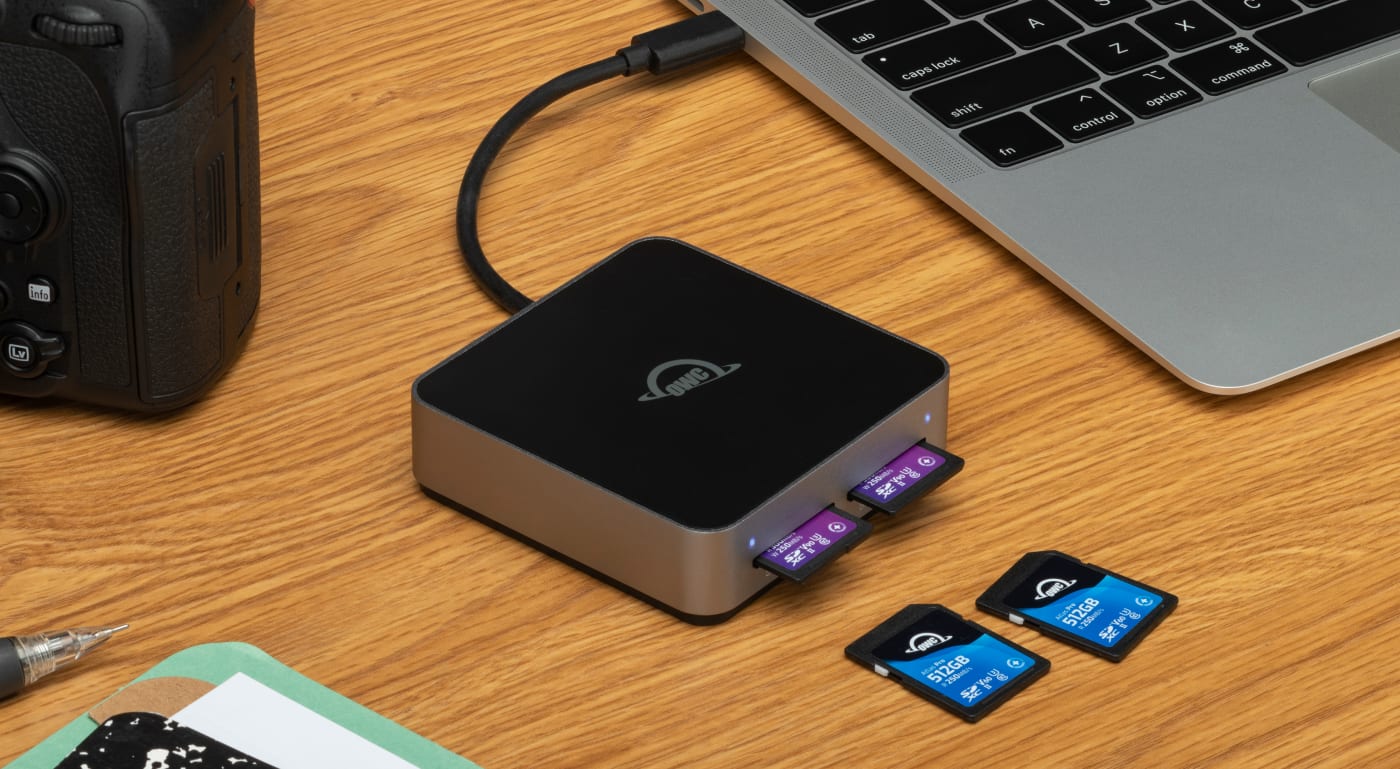
Memory card readers come in all shapes and sizes, but the first thing you’ll want to check, regardless of the type of card you’re buying for, is whether that reader matches spec with your cards when it comes to both type and generation.
For SD cards, check whether the reader supports UHS-II. If you’ve invested in fast UHS-II cards, a reader that only has UHS-I spec can prevent you from taking advantage of their faster interface during offload. The card may still read and transfer data, but compatibility and tapping into that card’s full performance are different things. The OWC Dual SD Card Reader is a UHS-II reader that allows you to offload from two SD cards at their full capability and at the same time. That’s time savings on top of time savings.
For CFexpress, confirm the type and generation. CFexpress Type A and Type B differ not only in size but also capability. For Type A cards, you’ll need a CFexpress card reader that is either specifically for Type A cards, or is compatible with a supported Type A to Type B adapter.
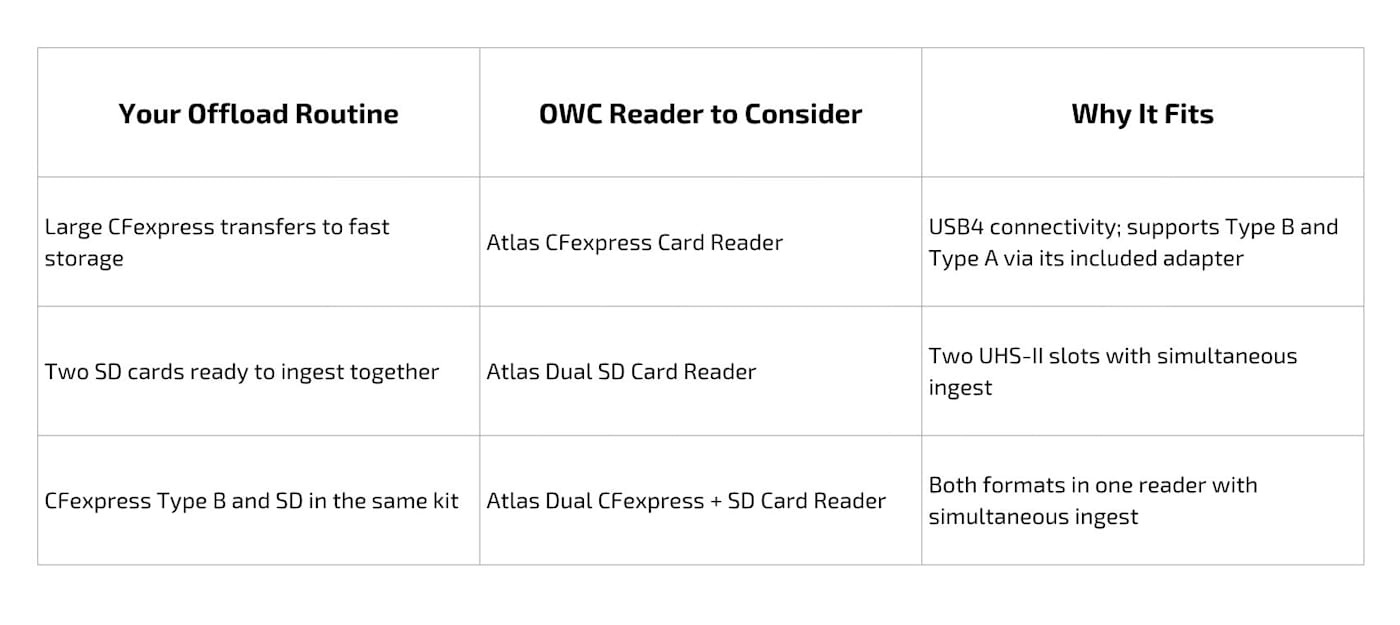
The OWC Atlas CFexpress Card Reader is not only built atop USB4 to ensure even the fastest Type B cards offload at their full capability, it also includes a Type A-to-B card adapter. That means no matter what format you use, the OWC Atlas CFexpress Card Reader will handle it and support its full performance capability.
And in case you're curious, our CFexpress Type A vs. Type B guide explains the differences in CFexpress formats in more detail.
Follow the Entire Transfer Path
Beyond card type and generation, other potential bottlenecks to fast card offloads are the cable connecting your reader to your computer, the computer port you’re connecting through, and the storage you’re offloading onto. Each of these factors can slow down your transfers.
Starting with the cable, for SD card readers, you’ll want to ensure that your cable supports USB 3.2 transfer speeds. Though all USB-C cables look alike, USB-C describes the connector shape, not the protocol. Many USB-C cables are optimized for charging, not data transfer. For quick SD card transfers, you’ll want a USB 3.2 cable.
The OWC Atlas Dual SD Card Reader and the Atlas CFexpress + SD Card Reader both include an integrated USB 3.2 cable with 10Gb/s bandwidth. That gives you enough bandwidth for simultaneous transfers from each reader’s two slots. Plus, each reader also features an extra USB-C port if you’d rather plug it in with a longer cable. Just make sure that cable supports USB 3.2 10Gb/s.
Because CFexpress Type A and Type B cards support much faster data offload than SD cards, you’ll want to connect your CFexpress reader through a USB4 cable or through a Thunderbolt 3, Thunderbolt 4, or Thunderbolt 5 cable. USB4, Thunderbolt 3, and Thunderbolt 4 cables are are capable of handling 40Gb/s of bi-directional bandwidth, while Thunderbolt 5 can handle up to 80Gb/s of bi-directional bandwidth. That makes each of these cables capable of supporting offloads from the fastest CFexpress cards.
But you’ll also want to check the port you plug your reader and cable into. For instance, a CFexpress Type B card plugged into a fast card reader connected through a USB4 cable won’t transfer at full speed if that cable is plugged into a slower USB 3.2 port. You’ll want to ensure your SD card readers are connected through at least a USB 3.2 port on your computer while ensuring CFexpress card readers are connected to a USB4 or Thunderbolt 3/4/5 port.
For the fastest offloads possible, one final bottleneck you’ll want to look out for is the destination storage. If you’re transferring from a card onto your computer’s internal storage, this isn’t a concern. But if you’re transferring onto external storage that isn’t as quick as your card and reader, the destination drive will limit the transfer. For SD cards, a USB 3.2 drive with high sustained performance like the OWC Envoy Pro Elektron is a perfect companion. For CFexpress transfers, you’ll want a drive with more capability to keep up with those faster cards: the OWC Express 1M2, Express 1M2 80G, Envoy Pro FX, and Envoy Ultra are fantastic options with enough performance to handle CFexpress transfers without slowing things down.
When Two Slots Can Be More Useful Than Full Speed
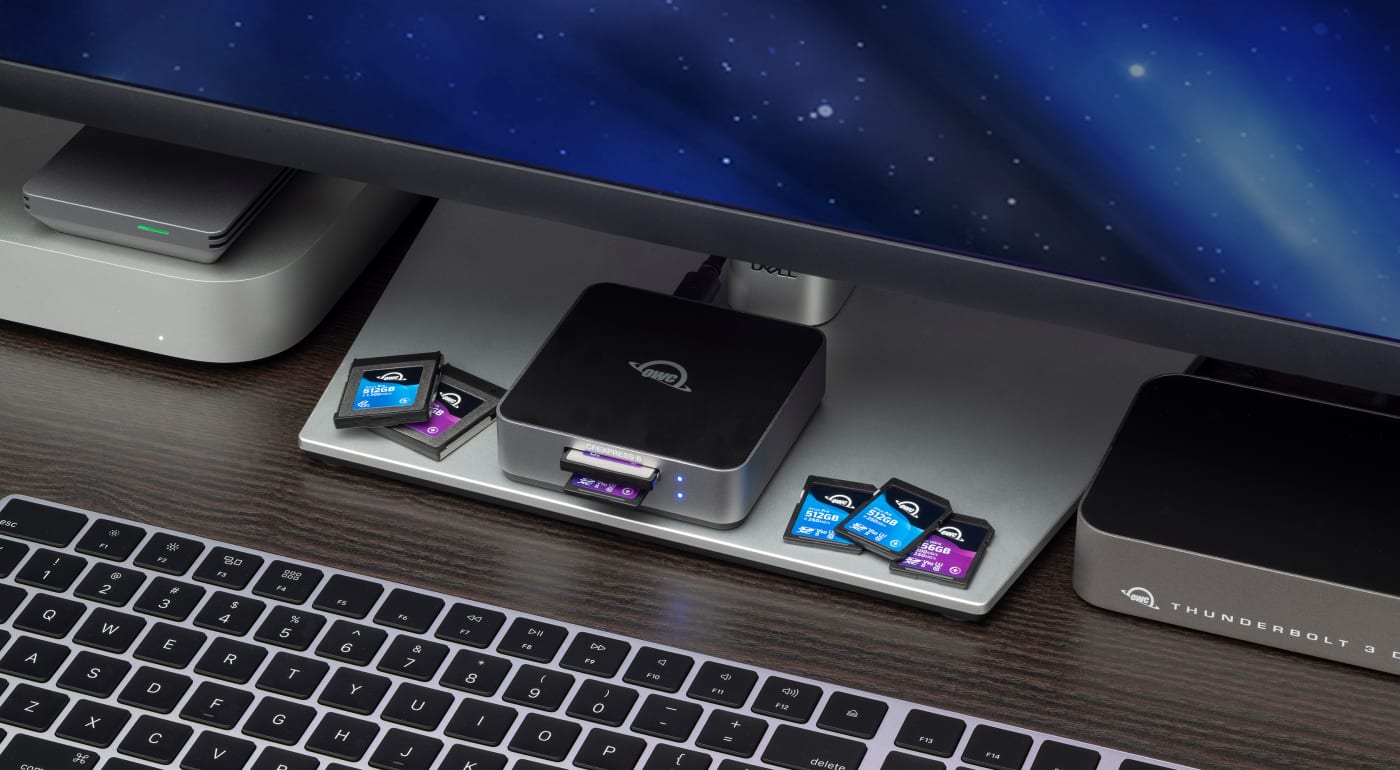
The great thing about the OWC Atlas ecosystem of cards and readers is that it gives you a lot of flexibility in finding the best card-to-reader-to-storage pipeline that perfectly fits your specific workflow. While many shooters have only one card and one card type to offload at the end of a shoot, many others might have multiple cards to offload—sometimes split between multiple card types.
If you shoot to SD and often have multiple cards to offload, the OWC Atlas Dual SD Card Reader allows offloading from two SDXC UHS-II cards at the same time. With this reader, you can tackle two transfers without having to wait for one to finish before swapping in the next card.
If your shoot across CFexpress and SD cards, the OWC Atlas Dual CFexpress + SD Card Reader combines CFexpress Type B and SDXC UHS-II slots to allow for simultaneous offload from both card types. The Dual CFexpress + SD Card Reader can reach data transfer speeds up to 1,032MB/s. That means CFexpress Type B transfers from this hybrid reader aren’t as fast as you’d get from our dedicated Atlas CFexpress Card Reader. But if you always have an SD card to offload along with your CFexpress Type B card, the advantage remains less card swapping and the ability to offload both card types without the need of carrying two different readers. The CFexpress + SD Card Reader trades speed for convenience.
Make Your Reader Part of a Reliable Offload Routine
Another advantage of pairing OWC Atlas cards with an Atlas reader is that each member of the Atlas ecosystem is designed with full integration in mind. Atlas readers are optimized to take full advantage of the performance of Atlas cards. Plus, compatible Atlas cards and readers also work with OWC Innergize, an easy-to-use app that allows you to monitor card health, maintenance, and perform firmware updates.
Once the media reaches your computer, OWC Copy That for Mac can handle verified media duplication.
Explore the OWC Atlas card and reader lineup here.
Other topics you might like
NVMe RAID vs. a Single External SSD: When Do You Need an Array?
Updated on Oct 19, 2026

How NRG Recording Studios is Bringing its Historic Archive Into the Modern Era
Updated on Sep 22, 2026
OWC SoftRAID 9 Brings RAID 6 Protection to Mac and Windows, Introduces RAID 6+
Updated on Sep 21, 2026