 USA + International
 OWC Canda
 OWC Europe
What’s the Best Stackable Mac Studio Dock With Storage?
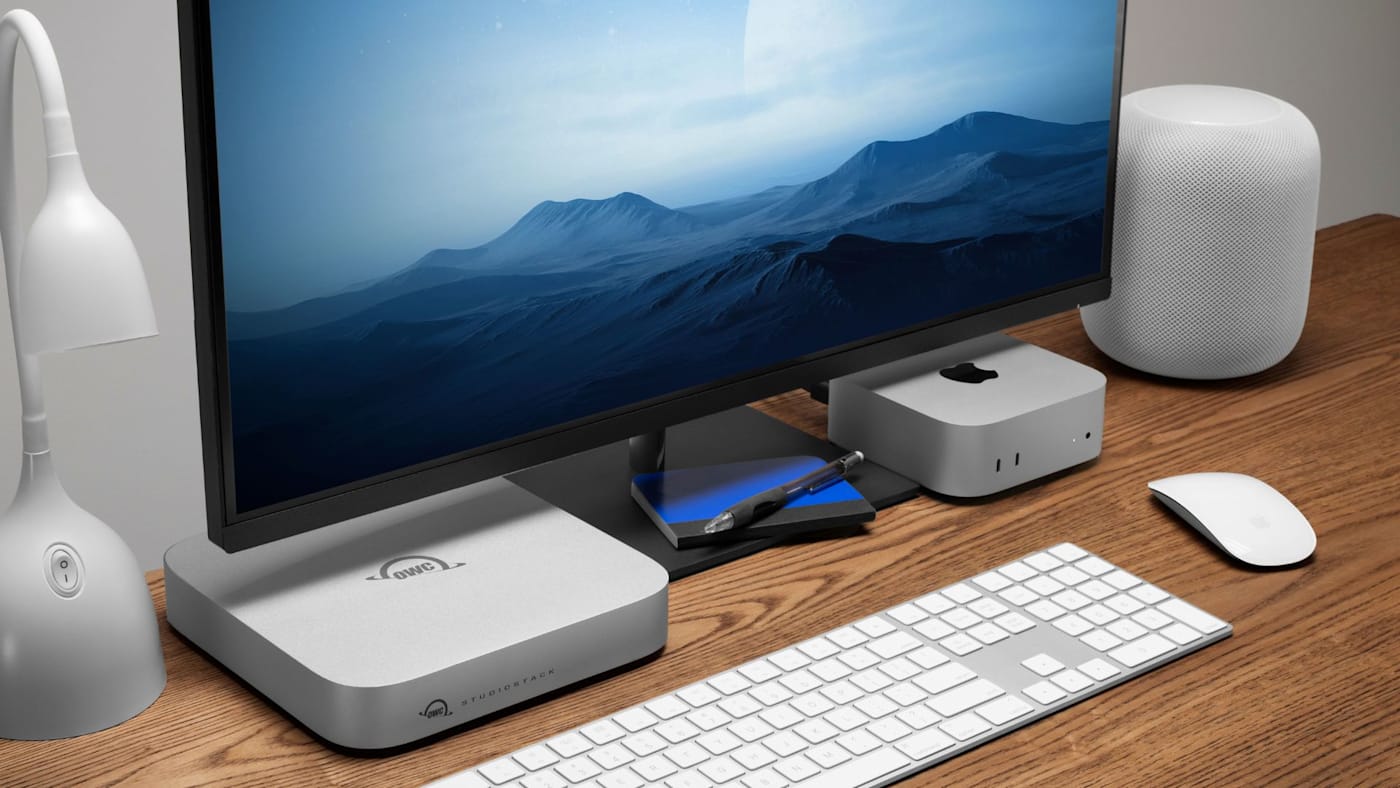
The OWC StudioStack was built specifically for Mac Studio. Not only does the design of StudioStack perfectly match the Mac Studio's footprint, its port selection and hybrid storage approach was built to fit in with how Mac Studio owners actually use their machines.
Wayne Grayson • Jul 16, 2026
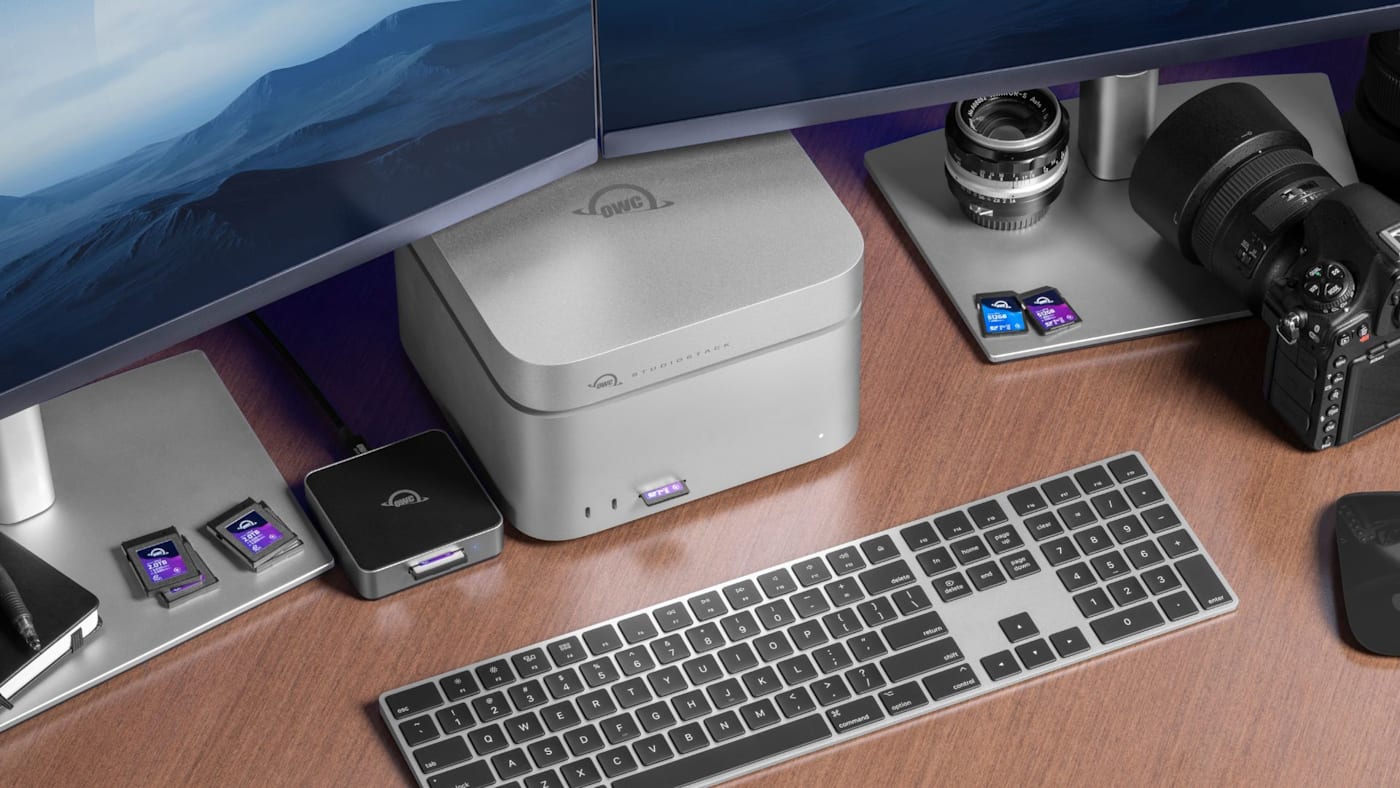
The Mac Studio is the embodiment of modern desktop computing. It’s a workstation-level Mac aimed at those who need the absolute highest spec out of their machine for professional and challenging creative work. In the past, this type of computing power could only be housed in a large case like a tower. That was the whole reason the Mac Pro (may it rest in peace) existed—that amount of power, cooling, and extension used to require a physically large Mac.
The Mac Studio changed all of that. Made possible by the veritable leap in computing power ushered in by Apple’s M-Series chips, the Mac Studio condenses workstation-class computing into an incredibly compact 7.7 x 7.7 x 3-inch quasi-cube. It is a complete reimagining of what a desktop computer can be. That type of transformation is contagious.
In response to the Mac Studio’s unique form factor, many companies have reimagined docking and storage solutions as well, seeking to conform these peripherals to the Mac Studio’s svelte footprint. By adding just an inch or so of height to the Mac Studio, you can now equip it with a stackable dock and storage solution that expands the Mac Studio’s storage while also expanding its already generous port selection.
But which is the best stackable dock for Mac Studio? While some questions in tech are complicated, this one is not. The OWC StudioStack is the clear winner out of a myriad of lesser options. We’re obviously biased here, but hear us out. Before we compare the StudioStack to the competition, we’re going to go through the factors that we considered while designing this solution—the factors that separate a good stackable dock from a mediocre one.
What is a Stackable Dock?
A stackable dock is an enclosure built to match the Mac Studio’s footprint, sitting flush underneath or on top of the machine rather than existing as a separate box on the desk. Unlike most standalone docks, a stackable dock typically combines the docking functionality of pass-through ports with internal storage drive bays, allowing it to provide storage and connectivity in one device rather than requiring a separate drive and a separate hub.
Placing that combination within the footprint of your existing Mac is the entire appeal of the category—it’s a dock in its ultimate form. But not every stackable dock actually delivers on both halves of that promise equally well, and the gap between a well-built one and a mediocre one usually comes down to two specific things: the interface it runs on, and whether it handles more than one type of storage.
The Interface Gap: Thunderbolt 5 vs. USB 3.2
This is the detail that matters most yet probably gets the least attention in most buying decisions. Most stackable docks in this category connect over USB 3.2 Gen 2, topping out at 10Gb/s of bandwidth. That’s workable for basic file access, connectivity, or charging needs, but it can lead to a real bottleneck the moment a stackable dock is asked to do what it’s actually built for: carrying fast storage traffic between the Mac and the dock’s internal NVMe SSD while functioning as a hub for displays and peripherals.
Thunderbolt 5 is a different class of connection entirely. This is the latest and most powerful connectivity protocol today, delivering 80Gb/s of bandwidth, expandable to 120Gb/s for display-heavy configurations. A Thunderbolt 5 dock supports 8x the bandwidth of a USB 3.2 dock. That means the NVMe drive bay can not only deliver near-internal-drive speeds, but also allow the pass-through ports to carry displays and peripherals without bottlenecks and slowdowns occurring.
On a USB 3.2 dock, even a fast NVMe SSD installed inside it is held back by the very connection of the dock to the Mac Studio. Mac Studio is flush with Thunderbolt ports. Why would you pay for a dock that doesn’t tap into the full capability of your Mac?
You wouldn’t. And that’s why the OWC StudioStack stands above the majority of the competition: it’s built on Thunderbolt 5.
The Interface Also Determines Lifetime Value
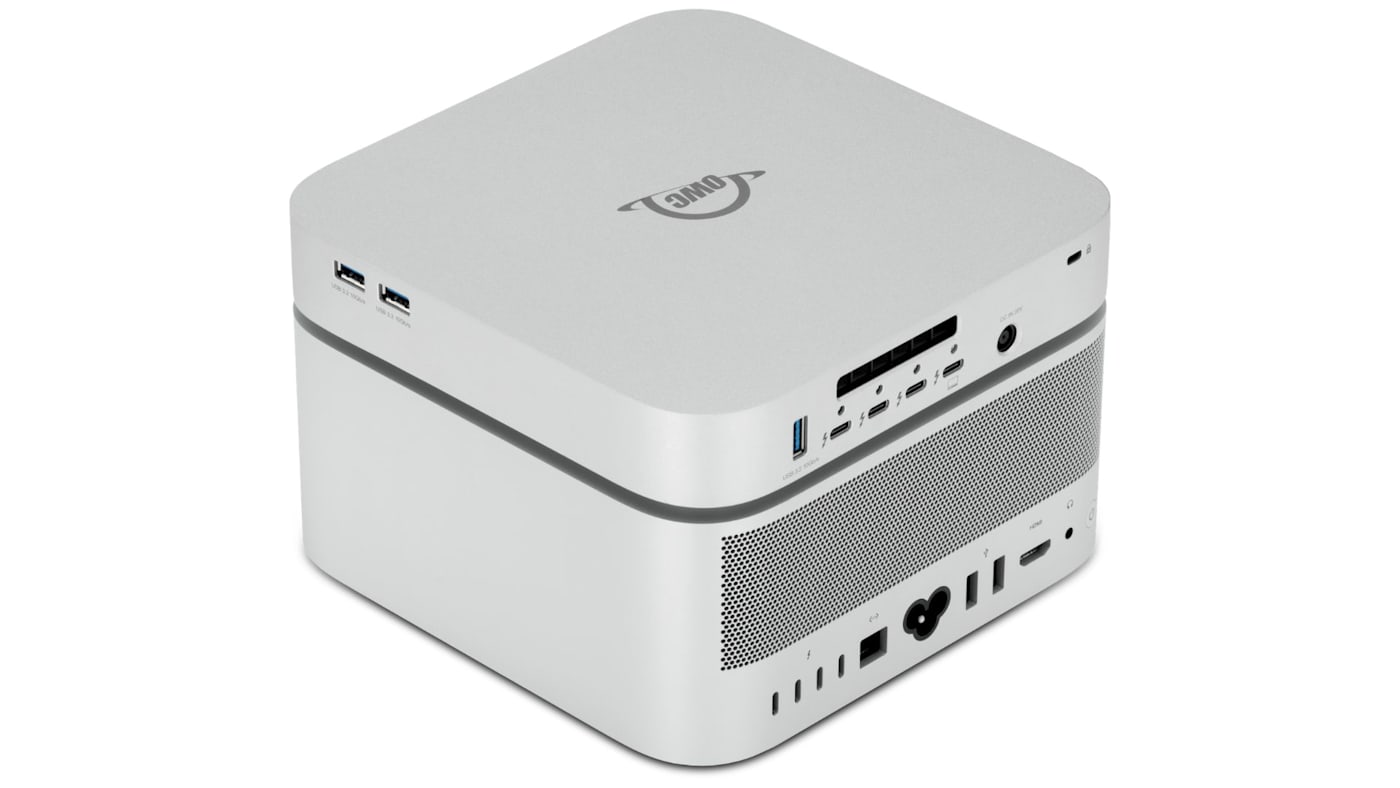
A stackable dock is a multi-year investment sitting under a machine that may itself get upgraded before the dock does. This is where Thunderbolt 5 does double duty: it runs at full 80Gb/s bandwidth on current Thunderbolt 5 Macs, and it’s fully backward compatible with Thunderbolt 4 and Thunderbolt 3 systems.
That means you can add a StudioStack to your Thunderbolt 4 Mac Studio today and your StudioStack will work perfectly, though it will be limited to your Mac’s Thunderbolt 4 bandwidth and speeds. But when you upgrade your Mac Studio to a Thunderbolt 5 model, your StudioStack will instantly begin to operate at its full Thunderbolt 5 capability.
The Second Gap: NVMe-Only vs. Hybrid NVMe + HDD
The other big difference between StudioStack and the competition is storage support. While most other stackable docks only have NVMe drive bays, StudioStack is a hybrid storage solution with an NVMe drive bay and an HDD drive bay.
And while competing docks with NVMe bays deliver fast storage, NVMe capacity is much more expensive than per terabyte than HDD capacity. That means if your stackable dock only supports pricey NVMe drives it doesn’t solve the separate problem most Mac Studio owners eventually run into: needing a large, affordable place to keep a growing media library, finished projects, or long-term archives.
That’s why the OWC StudioStack pairs an NVMe slot for speed with a traditional 3.5" HDD bay for bulk capacity in the same enclosure. This mirrors how most creative storage actually gets used: a fast tier for active work and a large inexpensive tier for everything else. And it does so without needing a second external drive to fill the gap an NVMe-only dock leaves behind.
Why OWC StudioStack Fits Best
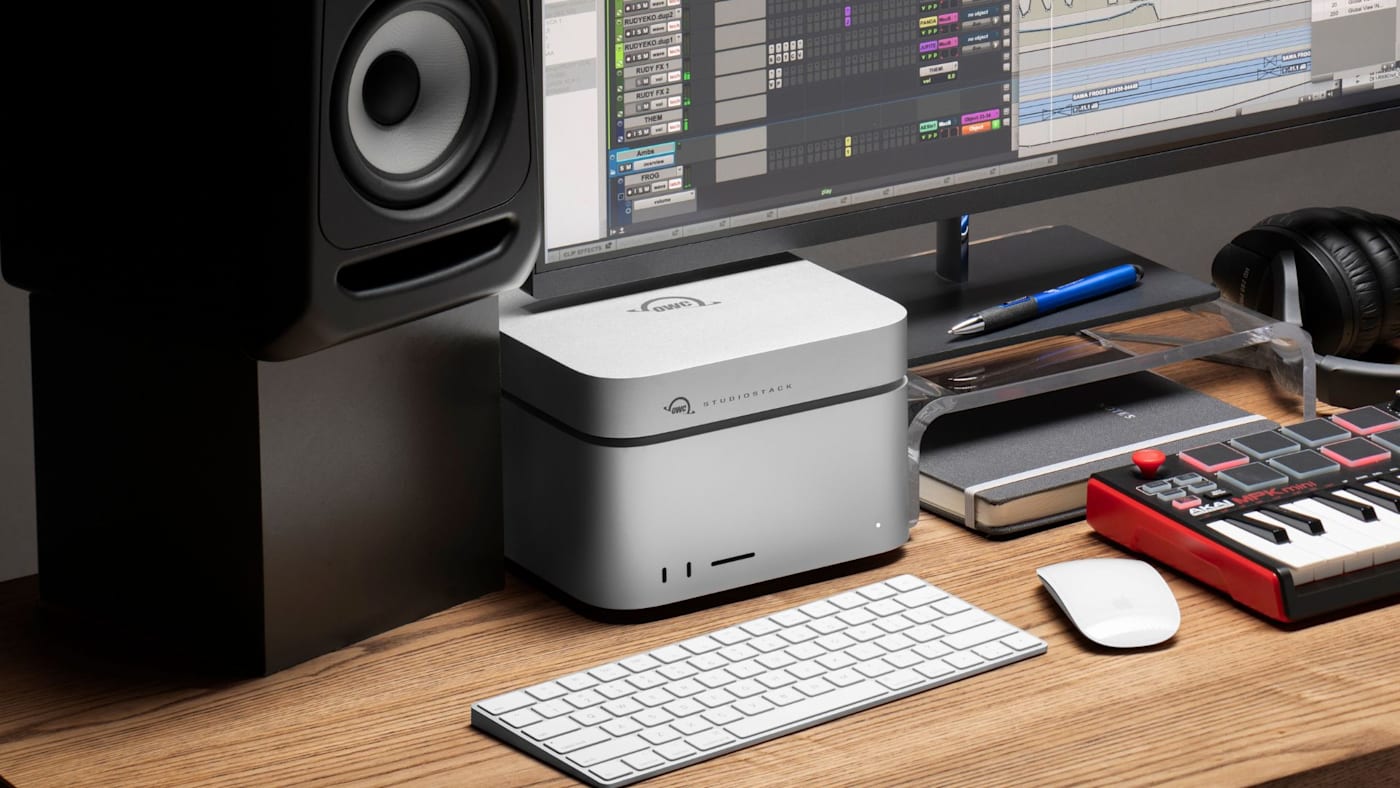
OWC StudioStack is designed to be a true all-in-one docking solution designed specifically for Mac Studio users. It runs on Thunderbolt 5, delivering three 80Gb/s Thunderbolt 5 ports plus three USB-A (10Gb/s) ports, two of them side-mounted for quick access to card readers and flash drives.
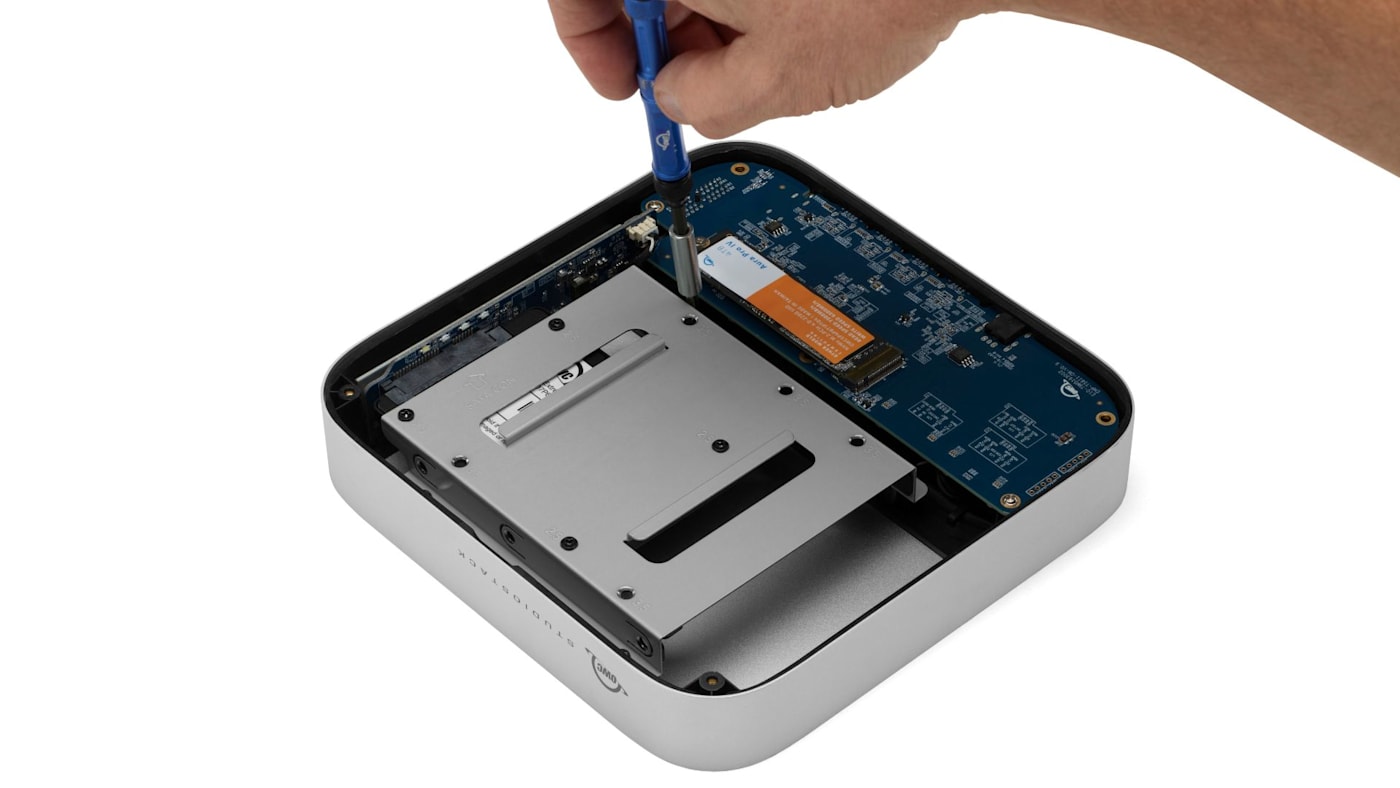
For storage, StudioStack has one NVMe M.2 2280 slot supporting up to 8TB, paired with a 3.5" SATA HDD bay supporting up to 24TB, for a combined 32TB in one enclosure. Configured with a fast NVMe SSD on a Thunderbolt 5 Mac, our testing recorded sequential speeds up to 6,302MB/s — performance that approaches, and in some configurations exceeds, Apple’s own internal drives. On an older Thunderbolt 4 or 3 Mac Studio, the same dock simply runs at that connection’s top speed instead with performance that remains a substantial step above competing stacking docks built on USB 3.2.
Easy DIY Upgrades
StudioStack is available pre-configured with drives, or as an empty, DIY-friendly enclosure for anyone who already has an NVMe SSD and HDD on hand. We made adding and upgrading storage super easy with Studio Stack. Unscrew a few screws, drop in your storage, and voila. Check out the video below to get a better look at the StudioStack and just how easy the process is.
StudioStack Isn't Just for Mac Studio...
While this guide and the StudioStack were designed with Mac Studio in mind, StudioStack is also fully compatible with and make a great docking companion to Mac mini, running at the top speed of whichever Thunderbolt or USB4 connection is available. If you own one of these Mac mini generations, everything above applies to your setup as well.
An Easy Decision for Mac Studio Owners
For Mac Studio owners looking for a clean, purpose-built, fast, and compact all-in-one solution for docking and expandable storage, there’s simply nothing better out there than the OWC StudioStack. It’s the only stacking dock that combines the speed and headroom of Thunderbolt 5 with the upgradability and expansion of hybrid storage drive bays.
Check out the OWC StudioStack here.
Other topics you might like

OWC Dock Ejector 2.1 Updates Make Safe Disconnects and High-Power Dock Charging Even Easier
Updated on Sep 25, 2026

How to Maximize Your New M5 Max and M5 Ultra Mac Studio: Storage, Docking, and Connectivity
Updated on Sep 16, 2026


The New OWC USB4 Hub Delivers the Ports and Speed You Need, Nothing You Don't
Updated on Sep 9, 2026