 USA + International
 OWC Canda
 OWC Europe
Do You Need a Thunderbolt 5 Dock? A Practical Guide
Is an upgrade to a Thunderbolt 5 dock the right move for your workstation? Or are your needs suited just fine by a Thunderbolt 4 dock? Let's talk about it.
Wayne Grayson • Jul 07, 2026
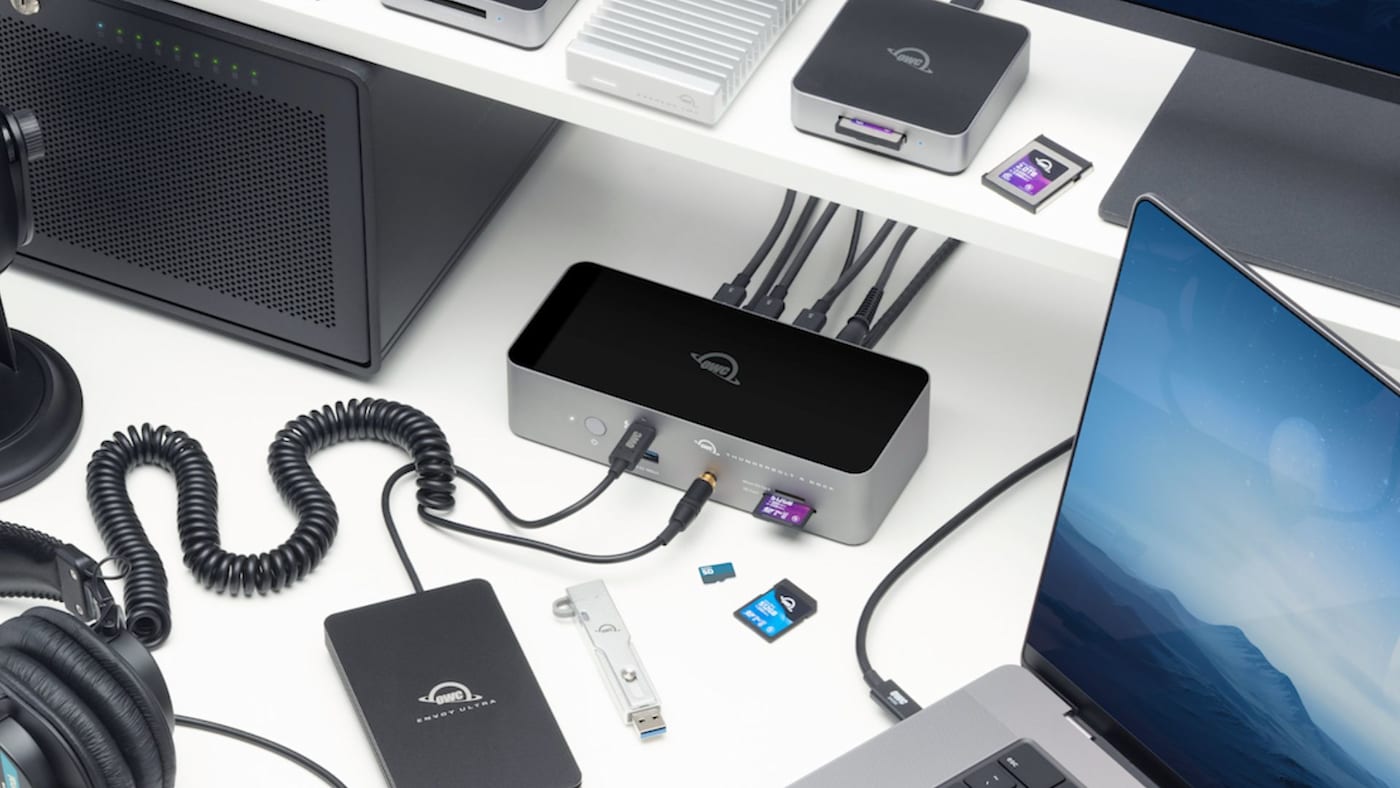
Thunderbolt 5 is the latest standard in desktop connectivity, and if you’ve been considering your first dock or upgrading your Thunderbolt 3 or 4 setup, you’ve probably wondered if you really need Thunderbolt 5. The honest answer is that it depends on a few specific factors.
To help you decide on the right dock for your workflow, let’s talk about what changed with Thunderbolt 5 and who specifically benefits from those changes.
Thunderbolt 5 Improvements
The main improvement in Thunderbolt 5 is that it doubles the bi-directional bandwidth of Thunderbolt 4. Think of bandwidth as the number of lanes on a highway. When there are more lanes, not only can traffic move faster more consistently thanks to there being more room, but more total traffic can move through the highway more efficiently because of the extra space as well. What that means for you as a Thunderbolt dock user is more bandwidth = more speed and more headroom for multiple connections.
Thunderbolt 5 boosts the bi-directional bandwidth of Thunderbolt 4 from 40Gb/s to 80Gb/s. And in graphics or display-heavy situations, it can intelligently scale bandwidth even further to 120Gb/s in one direction through Bandwidth Boost mode.
Thunderbolt 5 also introduces DisplayPort 2.1 support, enabling multi-display configurations that were not possible on Thunderbolt 4: up to three 8K displays at 60Hz, or two 8K displays at 120Hz, from a single Thunderbolt 5 port, depending on the host. Thunderbolt 5 also boosts available pass-through power, allowing the OWC Thunderbolt 5 Dock and Thunderbolt 5 Hub to provide 140W of charging power to keep your laptop charged.
For comparison, Thunderbolt 4 tops out at 40Gb/s, supports up to dual 4K displays, and delivers up to 100W of laptop charging. Those remain strong numbers. For many creative professionals a Thunderbolt 4 connection will not be a bottleneck in day-to-day use.
The performance gap between Thunderbolt 4 and 5 becomes meaningful mostly in workflows that need the extra bandwidth headroom Thunderbolt 5 enables: writing to multiple fast SSDs simultaneously, running a heavy multi-monitor setup at high resolution and/or high refresh rates, or moving serious volumes of cinematic video data over an external drive.
Which Computers Support Thunderbolt 5?
The first question to answer before buying anything is whether your computer fully supports Thunderbolt 5 in the first place. Because Thunderbolt builds in some rather generous compatibility and backwards compatibility, a Thunderbolt 5 dock will work with any Thunderbolt or USB-C host machine. The catch is that a Thunderbolt 5 dock it will only be able to take full advantage of all the extra bandwidth of Thunderbolt 5 if your computer has Thunderbolt 5 ports.
As of this writing, the computers with native Thunderbolt 5 ports are:
- Mac:
- M4 Pro Mac mini (the three rear ports are Thunderbolt 5)
- M4 Pro and M4 Max MacBook Pro (all three Thunderbolt ports are Thunderbolt 5)
- M5 Pro and M5 Max MacBook Pro (all three Thunderbolt ports are Thunderbolt 5)
- M3 Ultra and M4 Max Mac Studio (M3 Ultra: six Thunderbolt 5 ports; M4 Max: four Thunderbolt 5 ports)
- PC: A growing number of Intel Core Ultra 200-series laptops from Lenovo, Dell, and Razer via a dedicated controller chip
Base M4 and M5 MacBook Pro models, all MacBook Air models, the iMac, base model M4 Mac mini, and Mac Pro use Thunderbolt 4. The same is true for newer Windows laptops with Thunderbolt support outside of specific high-end configurations.
If your computer does not have Thunderbolt 5 ports, a Thunderbolt 5 dock will function perfectly but only at the bandwidth of the standard the host machine supports. If you plug a Thunderbolt 5 dock into a Thunderbolt 4 host machine, it will essentially operate at the same speed as a Thunderbolt 4 dock. Purchasing a Thunderbolt 5 dock while you still have a Thunderbolt 4 machine may still make sense if a computer upgrade is imminent in the next couple of years. It does not make sense if your current machine is where you are staying for the next few years.
When a Thunderbolt 5 Dock Makes a Real Difference
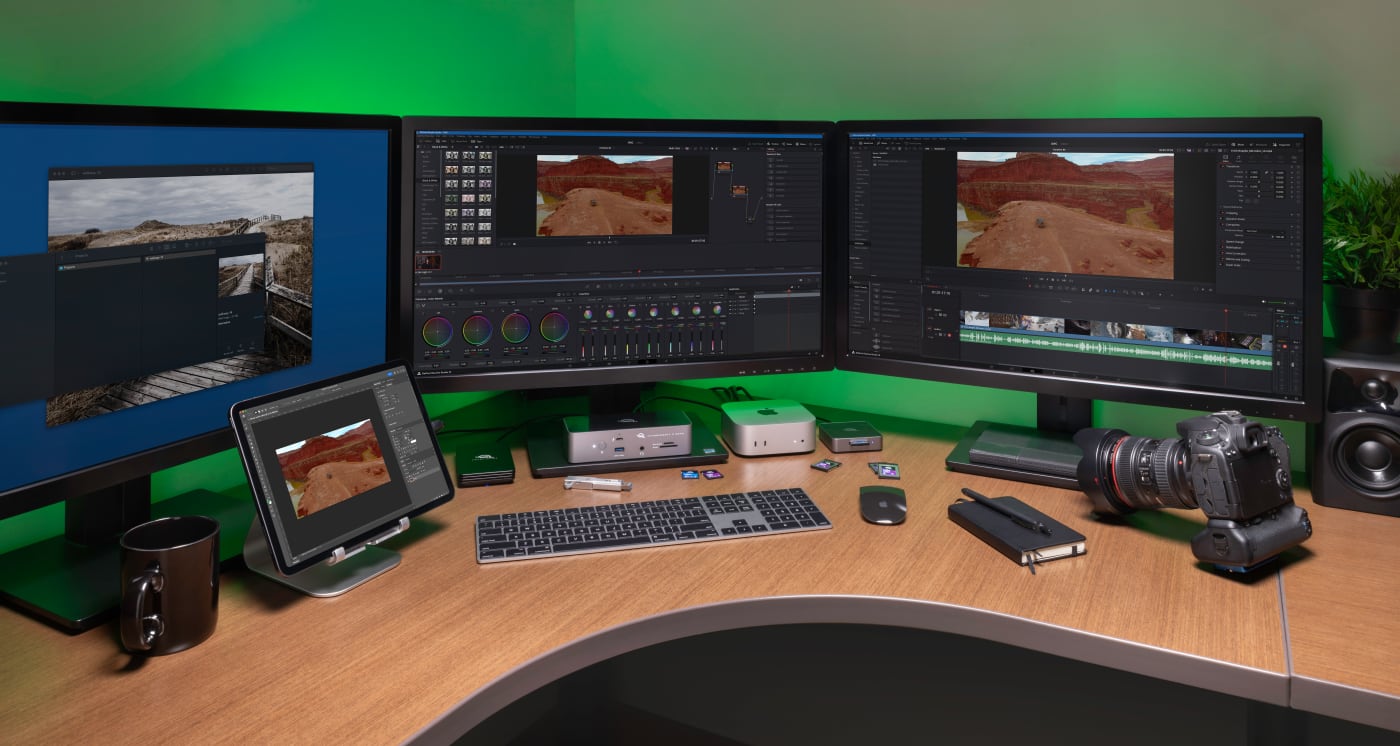
There are specific workflows where Thunderbolt 5's additional headroom is really felt:
- Editors moving and editing large high-res RAW video files not only see faster offload times but also smoother editing in the timeline when using a Thunderbolt 5 SSDs like the OWC Envoy Ultra, which exceeds 6,000MB/s.
- Professionals running three high-resolution displays from a single port benefit from Thunderbolt 5's Bandwidth Boost mode and DisplayPort 2.1 support as these improvements make multi-8K configurations viable in a way that Thunderbolt 4 cannot match.
- DIT and broadcast workflows where multiple fast card readers and RAID systems are writing simultaneously. The extra headroom of 80 Gb/s bandwidth means less friction between devices sharing the connection.
- Networked studio and live event production professionals using the OWC Thunderbolt 5 Dual 10GbE Network Dock, which puts Thunderbolt 5's extra bandwidth to full use by combining dual independent 10 Gigabit Ethernet ports with multi-device Thunderbolt connectivity.
In general, if you need the fastest speeds that an external drive is capable of or you need to connect multiple bandwidth-hungry devices like those lightning-fast drives or high resolution, high refresh rate monitors simultaneously, Thunderbolt 5 is worth the upgrade as it will provide a more headroom for more consistently fast and stable operation of all your gear.
When Thunderbolt 4 is Still the Right Answer
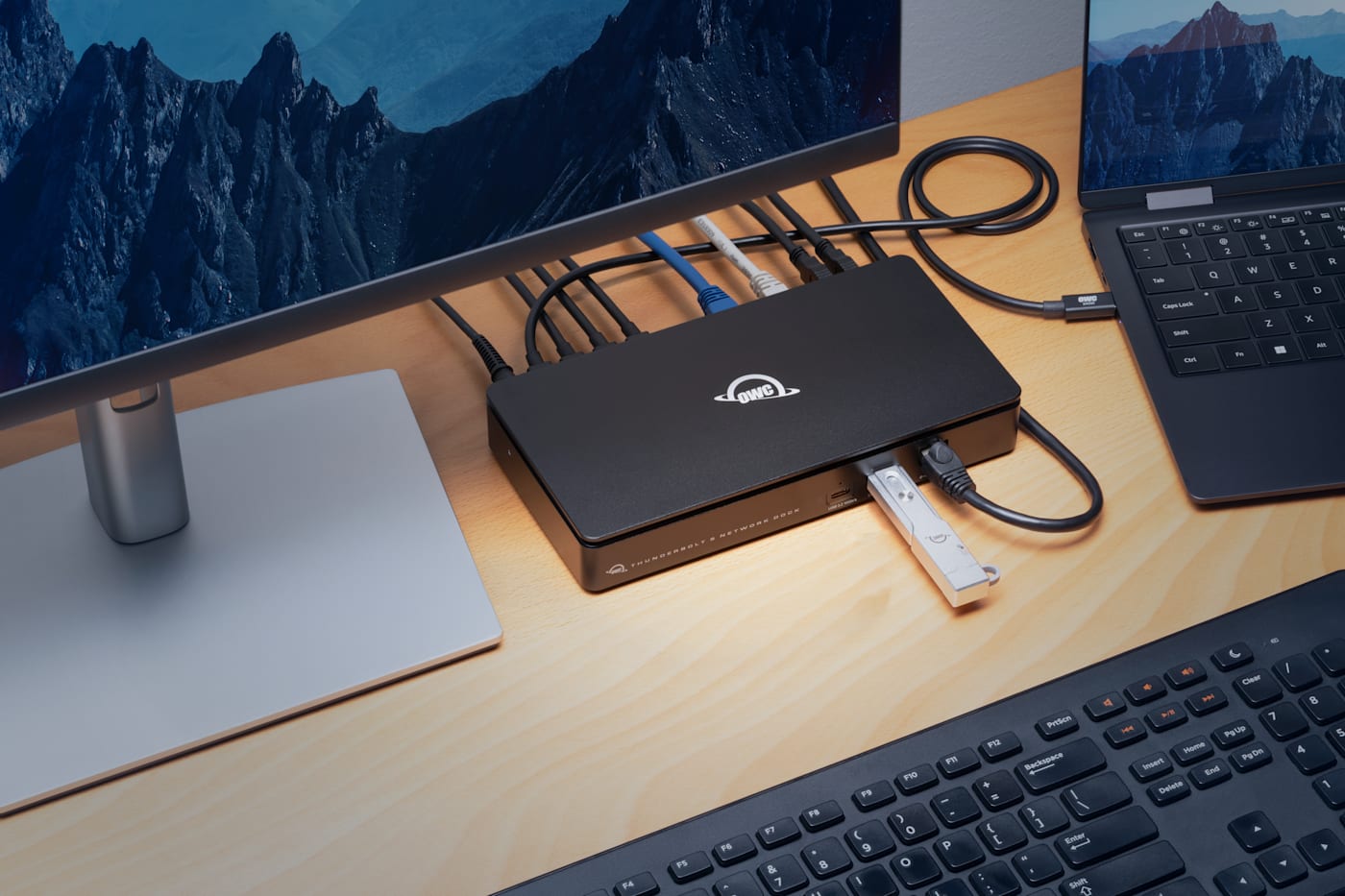
For most users, a Thunderbolt 4 dock remains the smartest buy. If the following describes all or part of your setup, and you have no plans on changing these aspects, you simply do not need Thunderbolt 5 at this time:
- You run one or two 4K displays at standard refresh rates
- You use and are happy with SSDs operating at USB4 or Thunderbolt 4 speeds
- You use a MacBook Air, base MacBook Pro, iMac, or base Mac mini— all of which use Thunderbolt 4
- You use a Windows laptop with USB4 or Thunderbolt 4 ports
In those scenarios, the OWC 11-Port Thunderbolt Dock, OWC Thunderbolt Hub, or OWC Thunderbolt Go Dock delivers everything your setup needs: fast downstream Thunderbolt 4 ports, wired Ethernet, card readers, 96W charging, USB-A for peripherals, and audio.
That said, if you decide to upgrade to dual 5K displays, you want a faster Thunderbolt 5 drive, or you upgrade your machine to a Thunderbolt 5 Mac or PC, it's time to upgrade your dock and/or drives to Thunderbolt 5 as well.
What About Future-Proofing?
The strongest case for buying Thunderbolt 5 now even without an immediate need is if you plan to buy an M5 Pro or M5 Max MacBook Pro, or any TB5-equipped computer in the near future. In that case, buying a Thunderbolt 5 dock is an investment in a vital piece of desk infrastructure and a way to absorb a bit of the cost today of the full Thunderbolt 5 upgrade.
Thunderbolt 5 backwards compatibility means the dock works with everything you own today. But it also means the dock grows into its full capability when your computer does. For gear you are likely to use for four or five years, the premium on a Thunderbolt 5 dock is a reasonable long-term investment when a Thunderbolt 5 computer is in your near-term plans.
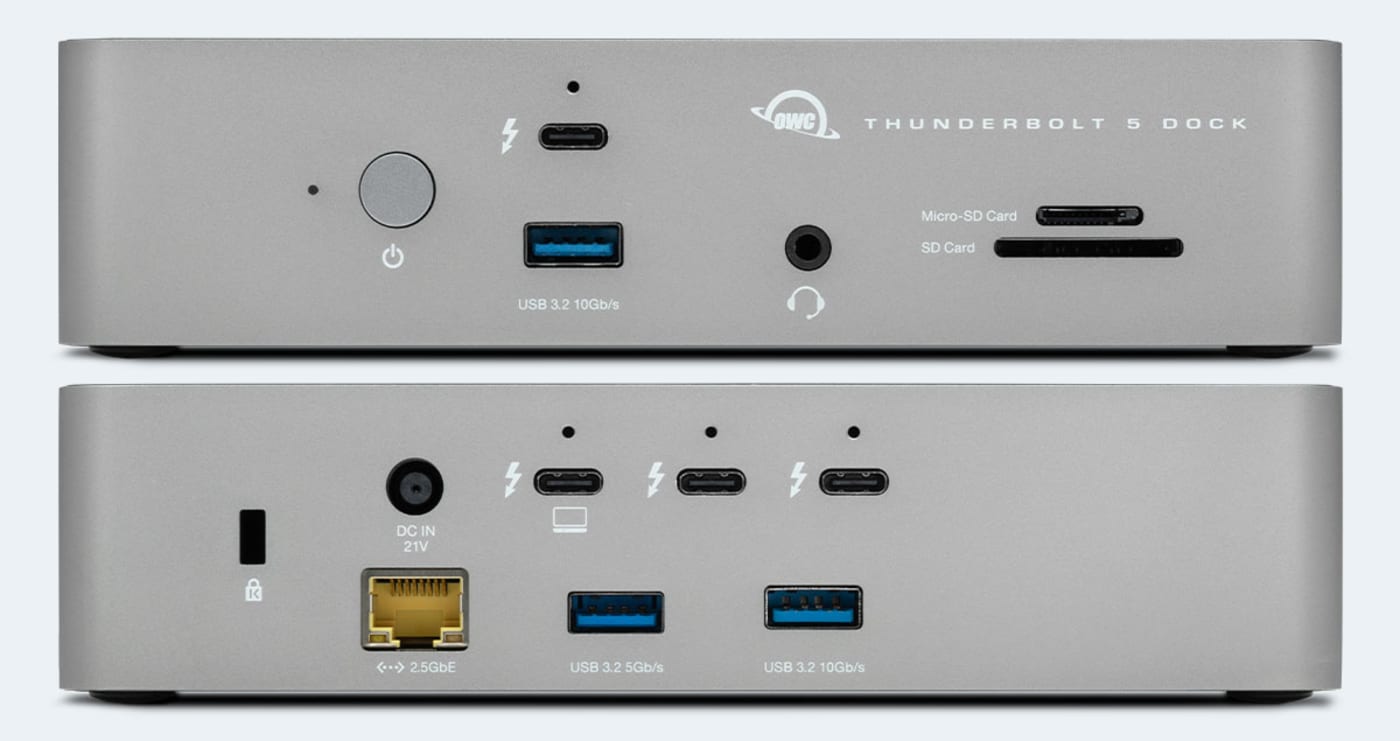
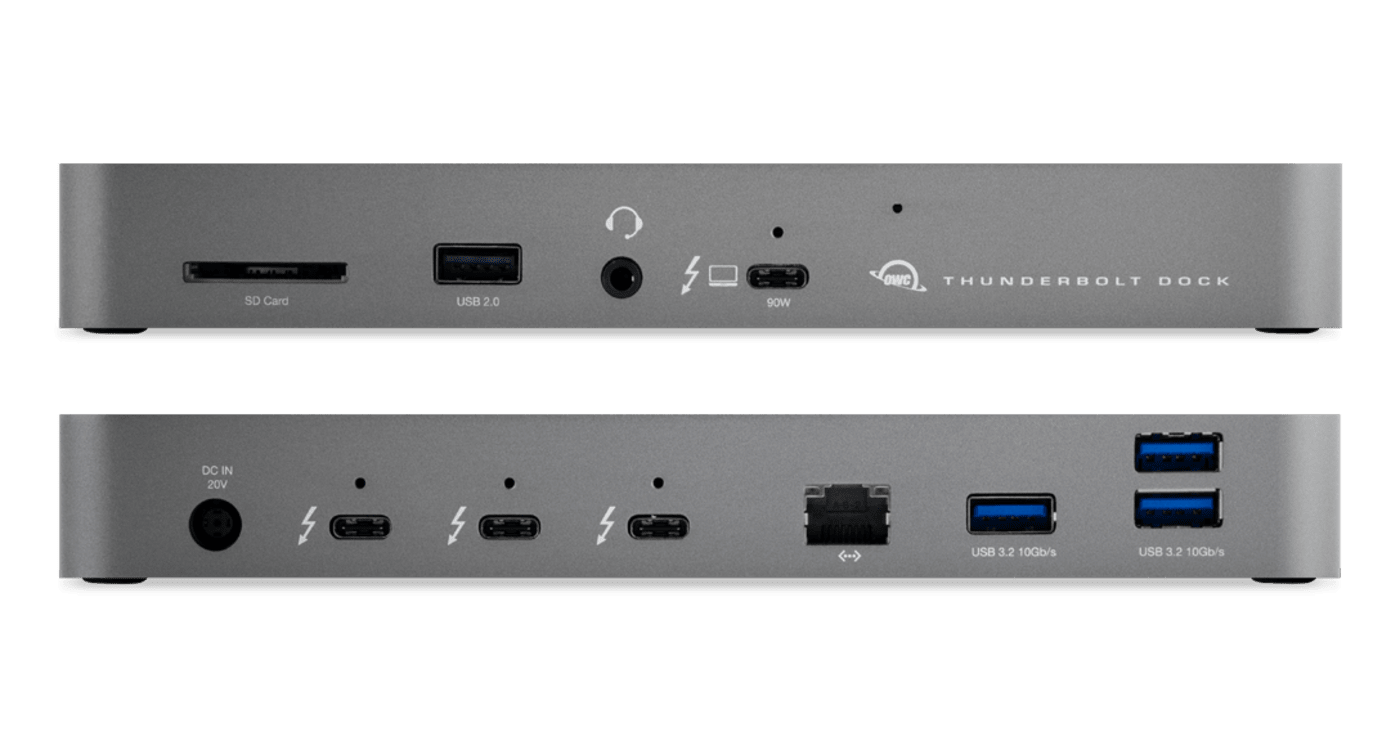
The OWC Thunderbolt 5 Dock is priced at $329.99 and includes a certified Thunderbolt 5 cable. It delivers 11 ports — three downstream TB5 ports, USB-A in two speeds, 2.5GbE Ethernet, SD and microSD UHS-II card readers, a 3.5mm audio jack, and up to 140W of laptop charging — in a silent, fanless aluminum enclosure designed to live on a desk for years.
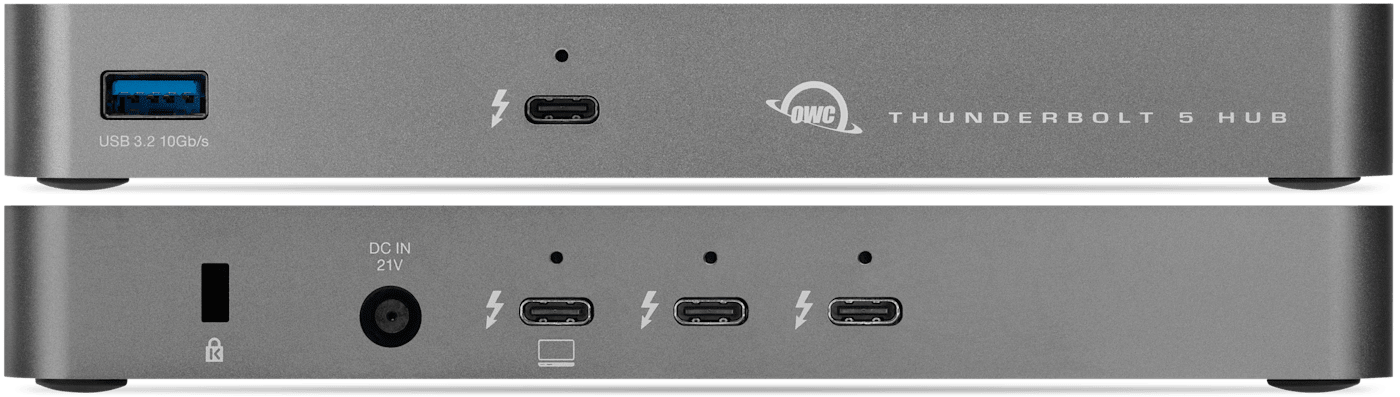
And if all you need are extra Thunderbolt 5 ports, the OWC Thunderbolt 5 Hub is priced at only $189.99 and turns one Thunderbolt 5 port into three + a USB-A port.
The bottom line: buy Thunderbolt 5 if you already have a Thunderbolt 5-equipped computer and regularly push what it can do, or if you are certain you will be upgrading to one shortly. If neither of those describes your situation today, a Thunderbolt 4 dock will serve you exceptionally well and keep more budget available for the work itself.
Other topics you might like
OWC Dock Ejector 2.1 Updates Make Safe Disconnects and High-Power Dock Charging Even Easier
Updated on Sep 25, 2026

How to Maximize Your New M5 Max and M5 Ultra Mac Studio: Storage, Docking, and Connectivity
Updated on Sep 16, 2026

The New OWC USB4 Hub Delivers the Ports and Speed You Need, Nothing You Don't
Updated on Sep 9, 2026