 USA + International
 OWC Canda
 OWC Europe
New OWC Jellyfish Enhancements Make Collaborative Media Workflows Across Shared Storage Faster and Easier to Manage
Jellyfish software updates make the purpose-built pro video NAS lineup easier to deploy, easier to manage, and faster to browse.
Wayne Grayson • Sep 11, 2026

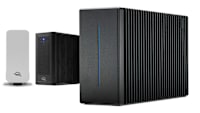
OWC’s lineup of Jellyfish network-attached storage (NAS) solutions are purpose-built for post-production and professional video workflows. We’re continuing the work to refine these solutions and we’ve got some awesome enhancements to the platform to announce this week. Let’s take a look.
Jellyfish Connect 4 Streamlines Workstation Setup
Our Jellyfish Connect software is designed to make connecting Mac and PC workstations to Jellyfish storage easier. This week, we’re announcing Jellyfish Connect 4, improving the Connect experience with a significantly improved automatic setup process.
New capabilities include dynamic port detection, multi-network remote access, simultaneous connections to multiple Jellyfish systems, and Active Directory login.
Connect 4 also adds a new apps section with links to tools including Strada, Peakto, Jumper, Resilio, and Shutter Encoder, helping teams move more easily between shared storage and other pieces of their production workflow.
More Control in Jellyfish Manager 3.2
While Jellyfish Connect gets you started in no time, Jellyfish Manager provides the centralized interface administrators use to configure and monitor Jellyfish systems, users, permissions, networking, and system health.
The new Version 3.2 adds an updated DaVinci Resolve integration, the ability to restore media from the cloud, support for air-gapped system updates, improved support for large Active Directory environments, configurable SMTP servers, and an updated MASV integration.
These additions are particularly useful for larger production environments where shared storage has to fit into existing security, identity, transfer, and infrastructure requirements rather than operate as a standalone island.
Media Manager 3.2 Gets a Major Workflow Upgrade
OWC Jellyfish Media Manager is built to help creative teams browse, search, preview, organize, and prepare content stored on Jellyfish before and during production. In Version 3.2, we’re introducing a rebuilt architecture focused on speed along with expanded media-format support, including ProRes RAW, Immersive BRAW, Sony, Nikon, and REDRAW media.
Teams can also preview DPX and EXR sequences in the browser, open selected media in desktop applications directly from Media Manager, and apply or edit tags and descriptive metadata across entire groups of selected files at once.
For teams dealing with large libraries of footage, those improvements can reduce the amount of time spent switching tools or manually organizing individual assets.
Higher-performance SMB for demanding media
Finally, OWC is also expanding Jellyfish performance with ATTO SmartNICs and ThunderLink adapters. That includes a custom-cooled dual 25GbE NIC integrated into Jellyfish Nomad, enabling ultra high-speed SMB ingest and playback from a single workstation for bandwidth-intensive professional media workflows.
The goal across all of these updates is straightforward: reduce the friction between connecting to storage, locating media, handing assets off between applications, and moving the data required by higher-resolution productions.
Jellyfish Manager 3.2 and the new ultra high-speed SMB performance capabilities for Nomad are generally available now. Jellyfish Connect 4 and Media Manager 3.2 are planned to roll out during Q4 2026.
To learn more and configure your own Jellyfish, click here.
Other topics you might like

How to Choose a Memory Card Reader For Faster Offloads
Updated on Oct 26, 2026
NVMe RAID vs. a Single External SSD: When Do You Need an Array?
Updated on Oct 19, 2026


How NRG Recording Studios is Bringing its Historic Archive Into the Modern Era
Updated on Sep 22, 2026