 USA + International
 OWC Canda
 OWC Europe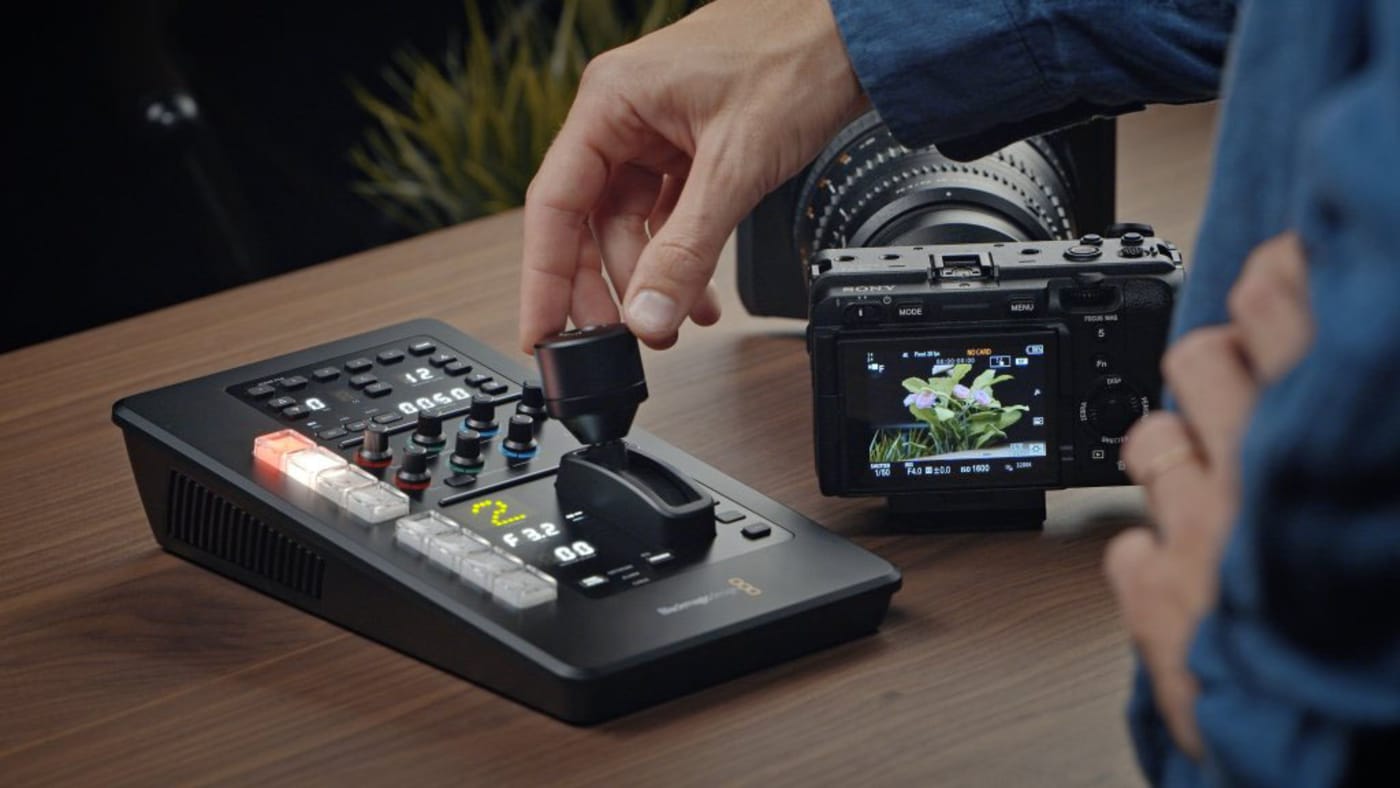
In the world of remote camera control, there are few systems more seamlessly integrated than Blackmagic Design’s, with the company’s range of cinema camera options and the powerful ATEM Switcher.
However, as you might expect, these workflows with the ATEM Switcher have understandably been limited to working with Blackmagic Design cameras. These are great options, but for those locked into different camera systems for personal or professional reasons, it leaves a gap.
Luckily, the team at Middle Things has found a way to bridge this divide by enabling you to control your Sony cameras with ATEM Switchers. Let’s take a look at the Middle Control Pro system and explore what it can offer for your remote shooting operations.
Middle Control Pro
Released by Middle Things, Middle Control Pro is an app that aims to transform your favorite gimbals and cameras into a live cinematic PTZ system. Powered by a single macOS app, the Middle Control Pro app lets shooters adjust elements such as zoom, focus, iris, ISO, white balance, color correction, and more.
The latest release, Middle Control Pro 3.0, has introduced new Sony Camera support, Live Video View, Live Multi View, Visca over IP, and Multi Operator support. All helpful new tools and features that can unlock a whole new world of remote operation for some of your favorite cameras and systems.
Using Sony Cameras With ATEM Switchers
The biggest news here is that your favorite Sony cameras can now be used with ATEM Switchers with Middle Control Pro.
Middle Things has shared that crews can now use Sony cameras, including options from the Sony Alpha line like the a7 IV, a7s III, ZV-E1, and more, as well as cinema cameras and camcorders like the FX3, FX30, Burano, and PWX-Z300.
Middle Things has actually put out a full tutorial video on the subject that covers everything you might need to know to get up and running with Middle Control Pro on your Sony cameras and ATEM Switchers.
Here’s a breakdown of what the tutorial covers:
0:00 - Intro
1:31 - Workflow Overview
2:06 - What You Will Need
2:38 - Connecting to your ATEM
3:43 - Pairing the Sony Camera (Wi-Fi)
6:08 - Controlling the Sony Camera with ATEM Software
10:25 - Notes on Wi-Fi control
11:32 - Pairing the Sony Camera (Wired LAN)
14:48 - Outro
You can further check compatibility with your setup on the Middle Things website here, or dive into the app here.
Other topics you might like
Maxon Set to Add AI Accelerated Early-Stage 3D Concepting Into Cinema 4D
Updated on May 27, 2026
Introducing OWC MacDrive 12: Full Native Support for Mac Drives on Windows
Updated on Apr 18, 2026
LumaFusion for Android is Quietly Becoming One of the Best Mobile Video Editors
Updated on Feb 20, 2026