USA + International
 OWC Canda
 OWC Europe
Introducing OWC MacDrive 12: Full Native Support for Mac Drives on Windows
MacDrive 12 is the only solution for complete Mac disk access on Windows—now including Encrypted APFS.
Wayne Grayson • Apr 18, 2026
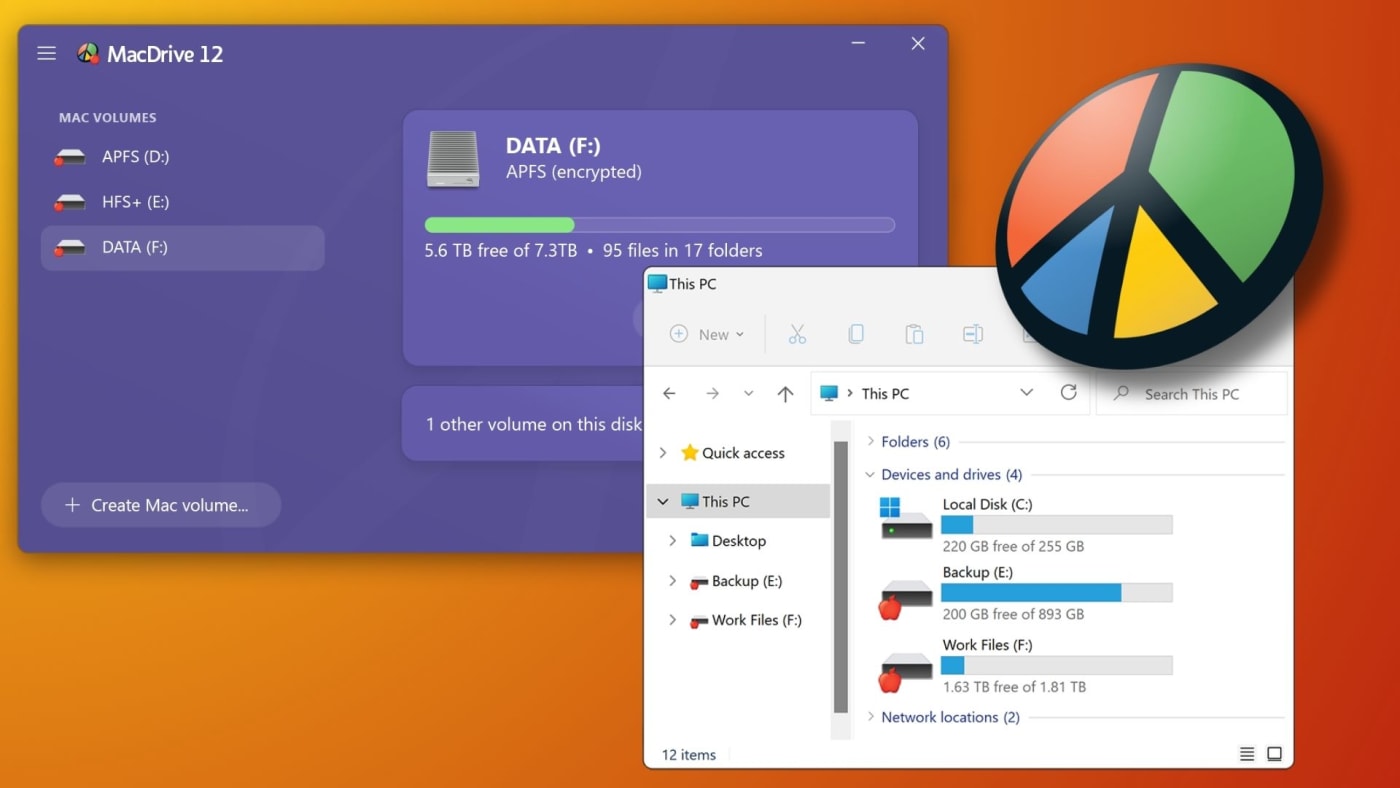
If you’re regularly pulling your footage, project files, or photos across Mac and Windows, you've run into the file system problem. Mac drives don't natively work on Windows. Whether you’re passing drives between machines in the studio, working alongside collaborators who use a different platform, or managing a mixed environment, getting lots of data from a Mac and into a PC is a real headache.
Are there workarounds? Sure. Formatting with exFAT. Sharing via the cloud. But the workarounds come with real costs to data security and time compared to simply plugging a drive in.
OWC MacDrive 12 changes that. It's the only solution that gives Windows users complete, native read/write access to every Mac format, including fully encrypted APFS volumes—directly in Windows Explorer. No conversions, no cloud detours, no compromises.
Why Mac and Windows Don't Play Nicely With Drives
Mac and Windows use fundamentally different file systems—the underlying structure that determines how data is organized and stored on a drive. Windows uses NTFS by default. Macs use Apple's file systems: HFS+ (Mac OS Extended) on older drives and APFS (Apple File System) on all modern Macs.
When you plug a Mac-formatted drive into a Windows PC, Windows simply can't read it.
The typical workarounds each come with a catch:
- ExFAT is the most common solution to this problem. But, as we laid out in a previous, more in-depth post, you should absolutely avoid formatting any working/edit drive in exFAT. The quick explanation is that exFAT strips away the file system protections APFS affords: metadata, encryption, crash protection, data integrity. You can read more about this here.
- Cloud transfers work but add time and cost, and aren't practical for large amounts of large media files.
- Third-party tools have historically offered partial solutions, but most couldn't handle encrypted APFS volumes without requiring you to decrypt first—exposing your data in the process.
MacDrive 12 is the solution that doesn't ask you to accept any of those compromises.
What MacDrive 12 Does
Once MacDrive 12 is installed on your Windows PC, Mac drives mount automatically in Windows Explorer. Simple as that. They look and behave exactly like native Windows drives. You can drag and drop files, open documents directly, and save back to the drive without thinking about file systems at all.
Here's what's included:
- Complete Format Support: Full read/write access to HFS+, APFS, and encrypted APFS volumes. Every Mac format, no exceptions.
- Disk Management Tools: Create, partition, format, and repair Mac disks directly from Windows. No Mac required.
- Native Windows Integration: Mac drives appear in Windows Explorer just like any other drive. The underlying format is completely invisible.
- RAID Array Support: Full support for SoftRAID and Apple RAID configurations. Your redundancy stays intact across platforms.
- Advanced APFS Crash Protection: MacDrive 12 is the only Windows solution with complete APFS crash protection. When power fails or a system crashes mid-write, APFS ensures completed writes survive and interrupted writes disappear cleanly.
- Enterprise-Grade Security: Full read/write support for encrypted APFS volumes means your data stays protected while remaining accessible.
Who MacDrive 12 Is For
MacDrive 12 is built for anyone whose work crosses the Mac/Windows line:
- Video editors and photographers working in mixed-platform environments can access Mac-formatted cards and drives directly on Windows editing stations, without transcoding delays or format conversion.
- Production companies can offload footage from Mac-formatted SSDs and memory cards directly to Windows-based post systems.
- Business users who move between Mac and Windows—or work in organizations that run both—can access their files without losing anything in translation.
- IT administrators can manage Mac volumes for troubleshooting, data recovery, or file transfers from a single Windows workstation, without maintaining separate hardware.
- Data recovery specialists get full support for encrypted APFS volumes, including professional-grade recovery for HFS+ formatted disks.
- Remote and distributed teams can share portable drives across Mac and Windows platforms without worrying about format compatibility or corruption.
MacDrive 12 and Your Existing Drive Workflow
If you've been getting by with exFAT or other workarounds, MacDrive 12 lets you keep your drives formatted as APFS while gaining full Windows compatibility without giving anything up. Encryption stays on. Crash protection stays on. Your metadata comes along for the ride. Your workflow just works no matter what computer you're working from.
exFAT is a lowest-common-denominator format that was designed for compatibility, not data protection. For professional workflows where drive reliability and data integrity matter, keeping drives in APFS and using MacDrive 12 on the Windows side is the safest path.
Pricing and Availability
OWC MacDrive 12 will be available beginning April 28, 2026.
- A new license will cost $59.99.
- An upgrade for existing MacDrive users will run $29.99.
MacDrive 12 was unveiled live at NAB 2026 at OWC’s booth: N2373. Learn more about MacDrive 12 here.