 USA + International
 OWC Canda
 OWC Europe
LumaFusion for Android is Quietly Becoming One of the Best Mobile Video Editors
LumaFusion gives video editors a powerful tool across a litany of devices.
Jourdan Aldredge • Feb 20, 2026
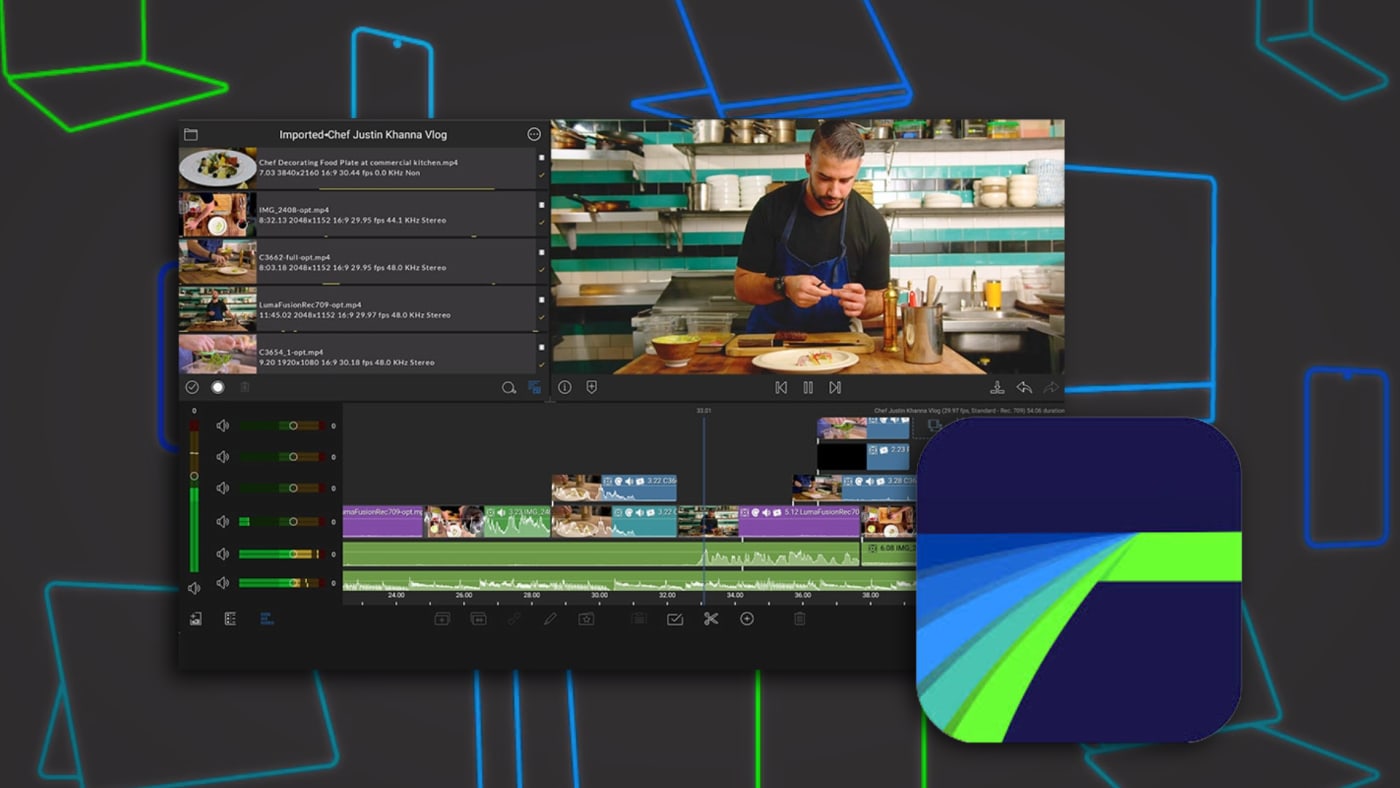
If you're a creator who values being able to edit comfortably no matter if you're on a candybar-style slab phone, one of those fancy new folding phones, a tablet, or the desktop—and you're the type of creator who likes the idea of creating across all those devices, the crew at LumaTouch have been working tirelessly for years on supporting you.
With their latest update to the Android version of their cross-platform, full-featured video editing software, LumaFusion for Android (version 2.5), the Android smartphone app has taken another step forward as one of the best mobile video editing options currently available.
With support for Android screens of all sizes plus some new and improved features designed to help make your mobile video editing experience faster and more flexible, LumaFusion is growing in popularity for good reasons.
If you’re an Android user and looking for fast, yet still sophisticated, video editing options at your fingertips, then now might be a time to check out LumaFusion for Android. Here’s what you need to know.
LumaFusion for Android Version 2.5
In the latest update to LumaFusion for Android (version 2.5), users are set to get some helpful, time-saving features that can speed up their workflows and add different transitions to their edits.
This update adds the ability to apply Head and Tail quickly transitions to add cross-dissolves to the beginning and end of a clip in just one step. Users can also now apply multiple transitions at once by selecting several clips and double-tapping a transition in the Transition Library.
These are some helpful transition effects that can be quickly applied to slideshows or other photo-and-video edits to make your videos more flashy and fun.
Locate Clips Faster
As you’ll see with many updates in the mobile editing space, the name of the game really is speed. As such, LumaFusion 2.5 also introduces new tools for locating clips faster. Users can now instantly find the original media for a clip in their timeline, or select a clip in the media library and jump directly to every instance of it in their edit.
There are also more editing workspace updates as users can now place presets and controls on the left or right—whatever fits their workflow best. Here’s a full list of what’s new in LumaFusion for Android 2.5:
Head and Tail transitions
Apply transitions to multiple clips at once
Find clips faster in the timeline and media library
New effects layout
LumaFusion for Android is now available for your Android devices. It’s available on the Google Play store and currently retails for $29.99.
Other topics you might like

Maxon Set to Add AI Accelerated Early-Stage 3D Concepting Into Cinema 4D
Updated on May 27, 2026
Introducing OWC MacDrive 12: Full Native Support for Mac Drives on Windows
Updated on Apr 18, 2026


Become an Adobe Lightroom Master With These Pro Photographer Tutorials
Updated on Feb 12, 2026