USA + International
 OWC Canda
 OWC Europe
Adobe MAX 2026: The Biggest Creative Cloud Updates for Photographers, Video Editors, and Designers
Adobe MAX 2026 brings new Photoshop, Premiere, Lightroom, Illustrator, and InDesign tools. Here's what's available now for creative professionals.
Wayne Grayson • Nov 17, 2026
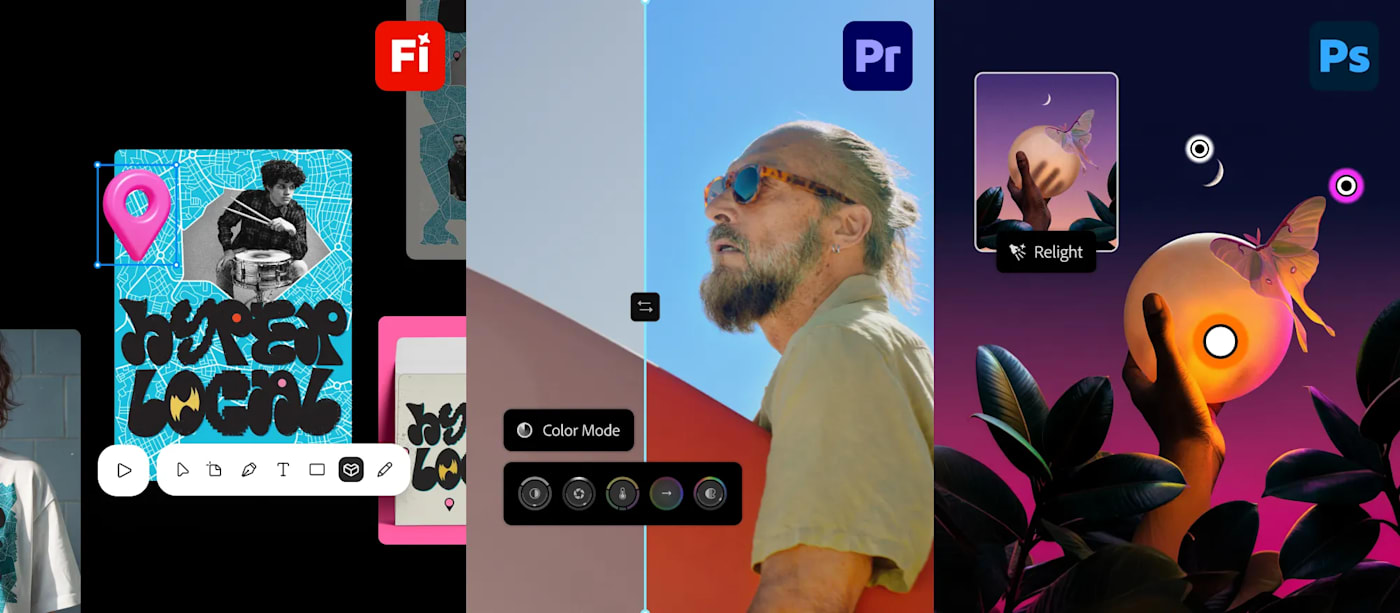
At its Adobe MAX conference in Miami last week, Adobe delivered a substantial set of updates to its Creative Cloud suite of software that photographers, filmmakers, video editors, and designers can put to work right away.
As has been the case for the last few years, artificial intelligence featured prominently in the announcements from Max 2026. But—as has also been the case—the most compelling improvements to Creative Cloud aren't necessarily about generating entirely new content out of thin air. Instead, many are designed to simply make everyday creative work faster: adjusting lighting, grading footage, cleaning up difficult audio, and making repetitive design tasks easier to manage.
Photoshop Adds More Control Over Lighting, Editing, and Cleanup
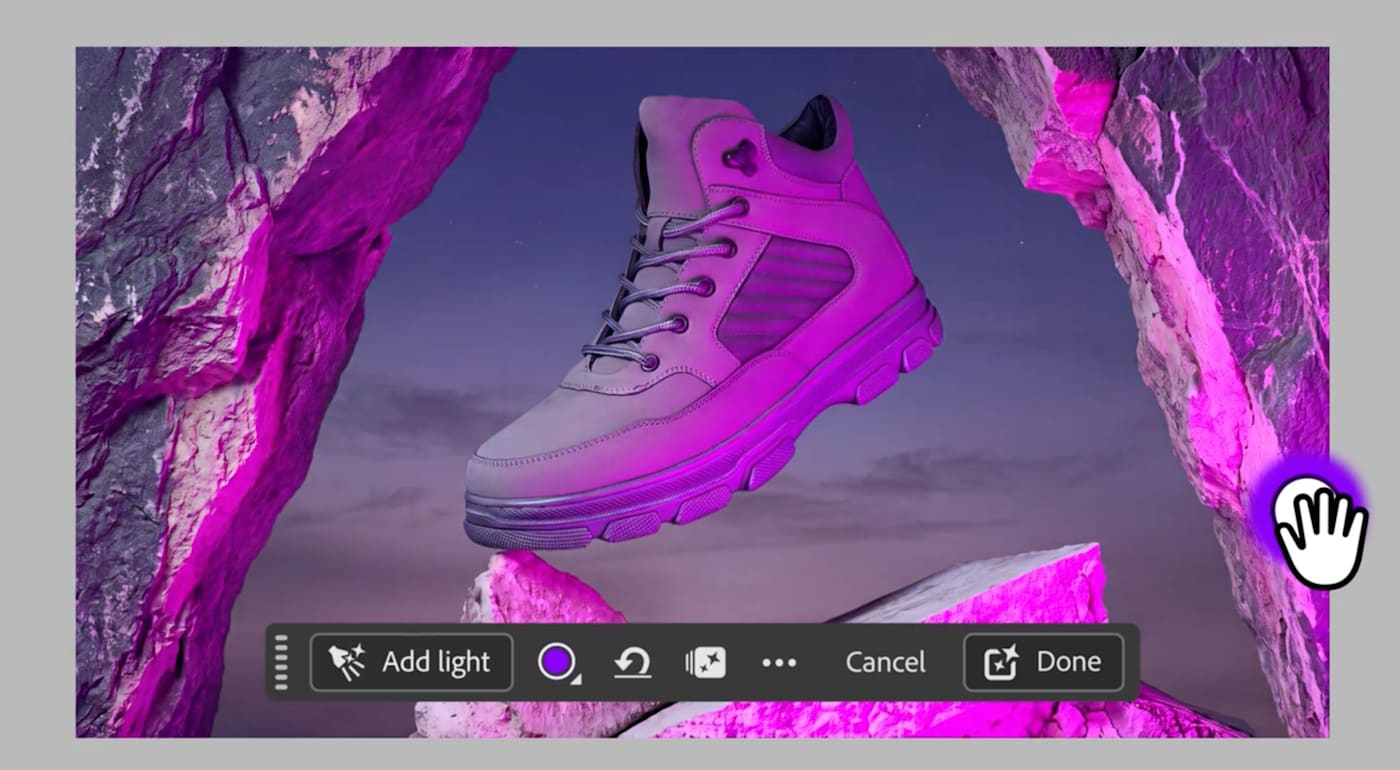
One of the standout additions to Photoshop is Relight, which lets creators add virtual light sources to an image and adjust their position, brightness, and color. The virtual lighting blends with the scene and the adjustments are non-destructive. It’s basically an AI-powered new take on masking. Instead of raising exposure or shadows in masked areas, Relight gives photographers working with portraits, product imagery, or composites a more intuitive way to change the mood or clarity of an image without having to rebuild the scene from scratch.
Generative Restyle introduces a different kind of control over AI-assisted edits. After using a text prompt to explore a new look, editors can turn the result into a layer and adjust its intensity with a slider instead of repeatedly rewriting the prompt.
Photoshop's Remove Tool can now also recognize elements associated with an object—such as its shadow, reflection, or footprints—and account for them during removal. Quick Compare adds an on-canvas before-and-after slider so editors can review changes without toggling layers individually. Adobe has also introduced an AI Assisted Editor interface for streamlined, prompt-driven tasks, while retaining the option to switch to Photoshop's more traditional professional editing tools.
Premiere Improves Color Grading, Audio Repair, and Timeline Workflows
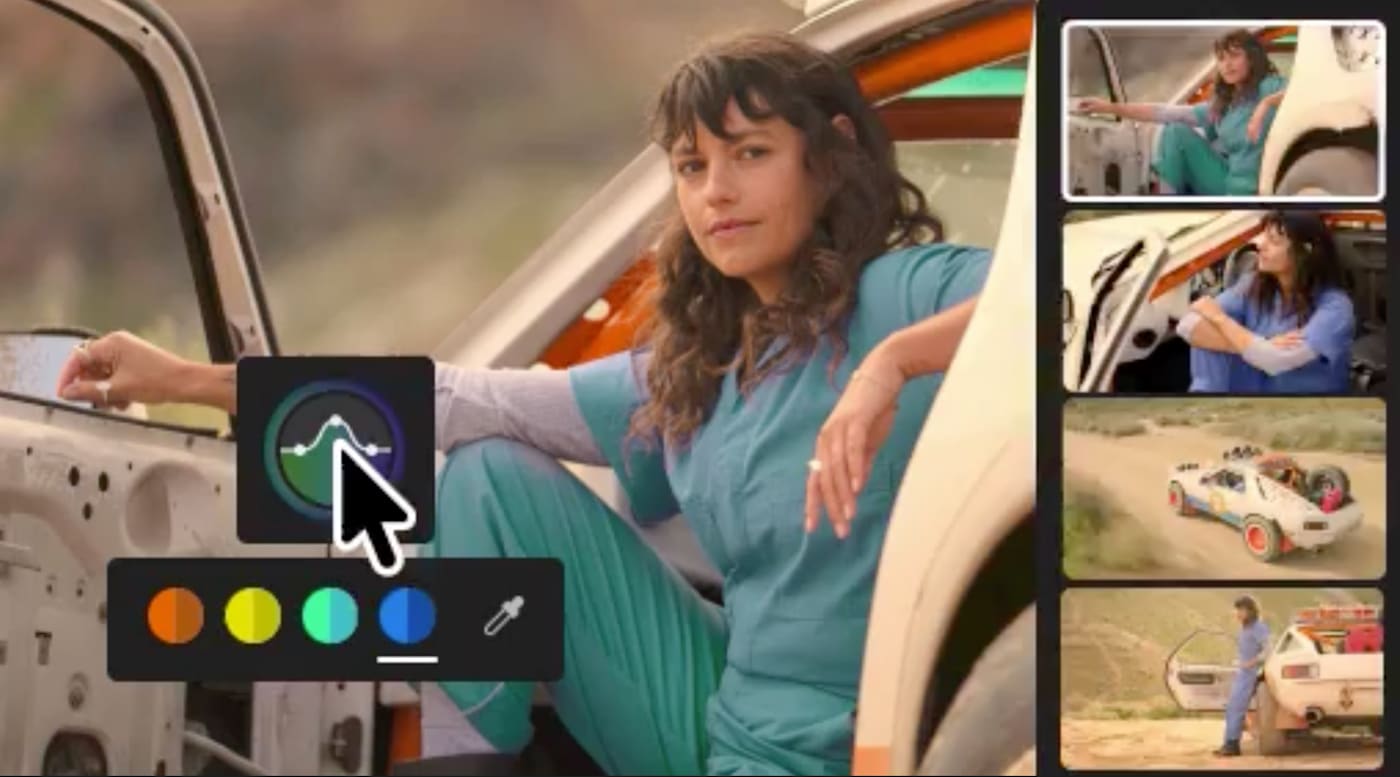
In Premiere, Color Mode is one of the biggest additions. The new workspace brings color grading into an experience designed specifically for video editors, combining straightforward corrections with controls for more detailed grading.
Audio receives a similarly meaningful update. Premiere's new Enhance Audio capabilities can separate dialogue, music, ambience, and effects for independent adjustments. Separate Crosstalk helps isolate overlapping speakers, while Separate Sound Source breaks recordings into elements that can be cleaned up and mixed individually.
Adobe is also bringing Generative Media into Premiere's timeline, allowing editors to generate video clips, music, sound effects, and soundscapes in the context of an existing sequence. Supported models include Adobe ’s own Firefly along with select partner models. That doesn't eliminate the need to evaluate generated assets or their licensing terms, but it gives editors another option for filling gaps in an edit without leaving Premiere.
One more attention-getting feature, Generative Remove, can erase tracked objects directly from video. However, this feature remains in beta, so it isn't part of the generally available feature set covered here.
For creators editing on an iPhone, Adobe also made licensed music from Universal Music Group and Warner Music Group available in Premiere mobile. Importantly, those tracks are licensed for personal, non-commercial videos, not unrestricted commercial productions.
Lightroom and Camera Raw Get Powerful Photography Upgrades
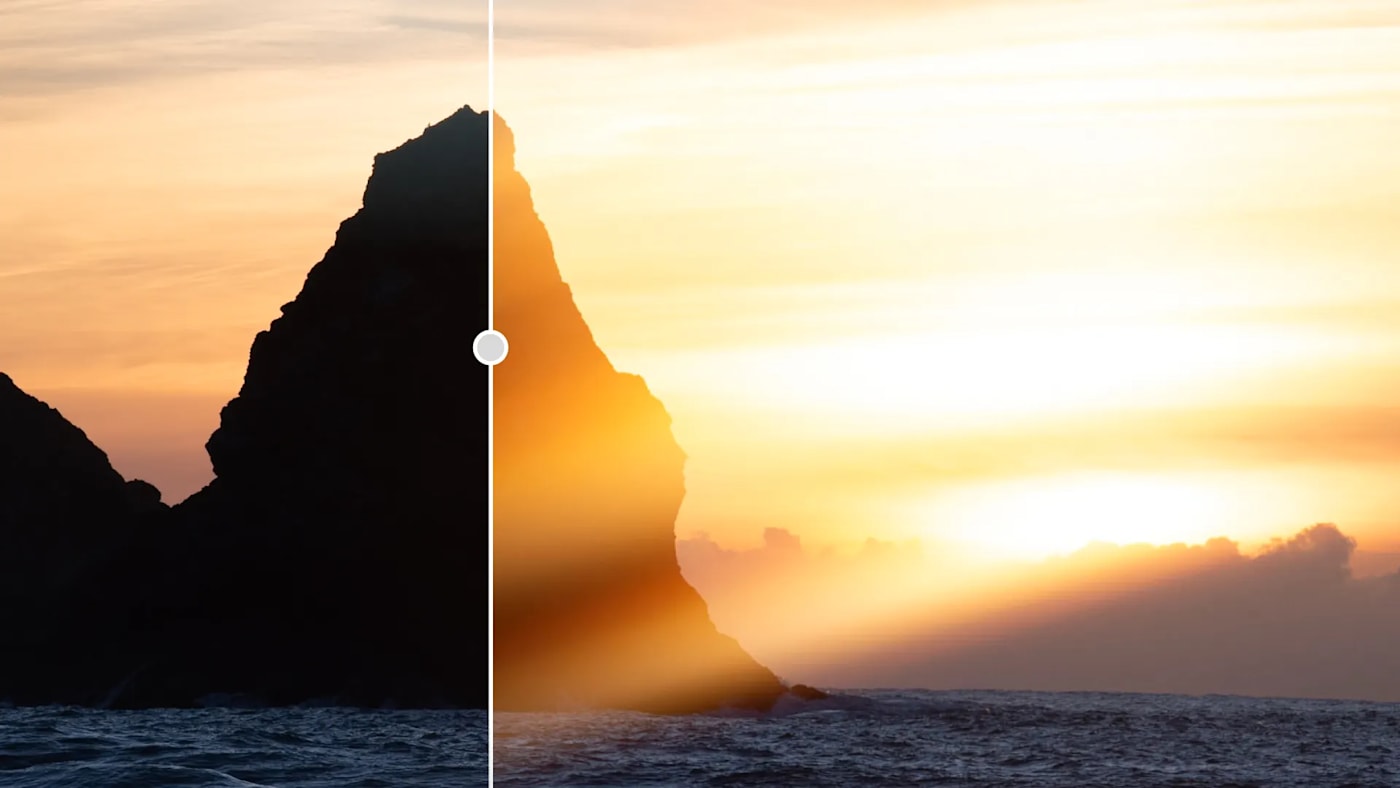
The new Glow controls in Lightroom let photographers add effects ranging from subtle diffusion to film-like halation, with adjustable settings for shaping the result. Blemish Removal, previously available in Lightroom on mobile, is now available in Lightroom on desktop, including Lightroom Classic, with controls intended to preserve natural details such as freckles.
Adobe also improved tethered shooting workflows across Lightroom desktop and iPad, making it easier to review, organize, and collaborate on photographs as they're captured. Lightroom also adds a new Open Eyes feature, which uses a reference photo to correct an accidental blink. Open Eyes is available only in public beta at this stage.
There are noteworthy refinements beyond the headline features. Lightroom now offers more interface customization—including the ability to make Lightroom look and feel more like Lightroom Classic—along with personalized editing panels, while Lightroom and Lightroom Classic gain a vectorscope for evaluating color and a projection correction control useful for wide-angle images. Lightroom Classic also adds more import filtering options.
Adobe Camera Raw 19 expands AI Denoise support beyond raw photos to formats including JPEG and HEIF. It also introduces adjustable LUT-based color grading, allowing up to three LUTs to be combined, alongside improvements such as virtual copies and additional Glow effects. These are useful upgrades for photographers who want more control over their existing editing workflows, whether or not they use generative AI.
Illustrator and InDesign Focus on Faster Design Work
Illustrator's improvements are less flashy, but address common production tasks. Updated Blend controls provide a persistent on-canvas interface and live feedback for adjusting transitions between objects. Refreshed content libraries add brushes, patterns, gradients, and graphic styles to help designers move more quickly from a blank artboard to a finished composition.
Meanwhile, InDesign adds refinements for layout-heavy work. Flex Layout can automatically resize text frames as copy changes, while Check Document and Rewrite help identify potential editorial and accessibility issues during production. Improved font browsing and other workflow adjustments provide additional everyday benefits.
Adobe also demonstrated real-time Co-editing, which would let multiple people work on the same InDesign layout simultaneously. That feature is currently in public beta, however, rather than a finished general release.
Adobe Firefly Expands Beyond Image Generation
Adobe's Firefly platform/AI/generative asset hub is evolving into a broader creative workspace spanning image, video, audio, and design. Among the new features are Quick Actions that streamline jobs such as removing objects or producing thumbnails. Firefly also includes more comprehensive image-editing and video-creation workflows, although some of these newer experiences are still only offered in beta.
The more ambitious announcements such as Firefly Design, Firefly Graph, and expanded Creative Cloud AI Assistants are also still beta products. Adobe does have planned integrations that would allow third-party AI agents to edit native Creative Cloud project files locally on the roadmap, but these are further out, with a private beta planned for early 2027.
What These Updates Mean for Creative Professionals
Adobe MAX 2026 reinforced a clear direction for Creative Cloud: more AI-assisted editing, but also more emphasis on giving professionals control over the final result. Photoshop's flexible lighting adjustments, Premiere's audio separation and color tools, and Lightroom's improved photographic controls all address tasks that creators deal with every day.
Other topics you might like
Looking For a New NLE? Everything You Need to Know About Diving into Vegas Pro in 2026
Updated on Nov 5, 2026

Maxon Set to Add AI Accelerated Early-Stage 3D Concepting Into Cinema 4D
Updated on May 27, 2026
Introducing OWC MacDrive 12: Full Native Support for Mac Drives on Windows
Updated on Apr 18, 2026