 USA + International
 OWC Canda
 OWC Europe
What is a NAS and When Does Your Creative Team Need It?
Learn what a NAS solution is, how it connects creative teams to shared files, and when OWC Jellyfish or Jupiter can improve your workflow.
Wayne Grayson • Nov 11, 2026
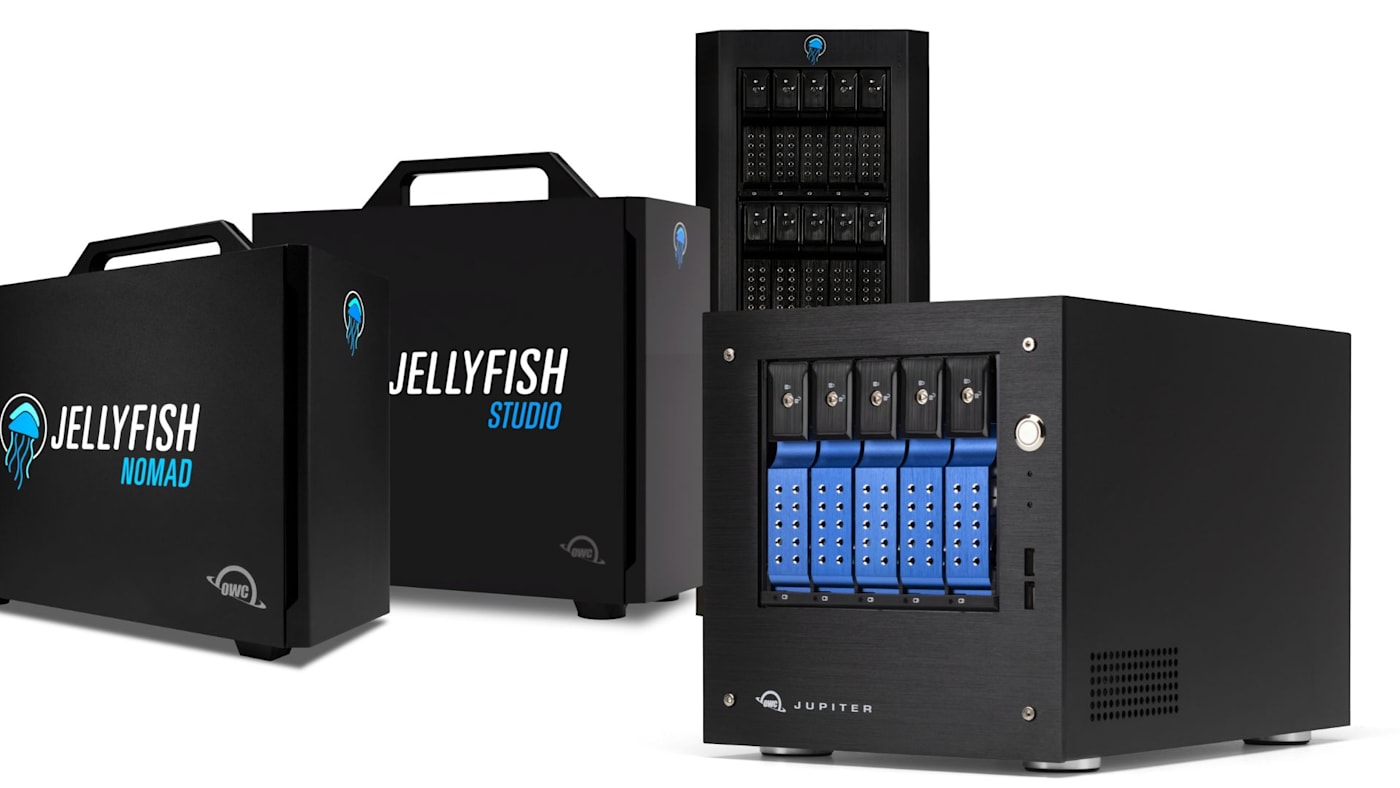
Once your creative operation grows to a full team of professionals, one of the first challenges you’ll encounter is figuring out how to keep everyone connected to the latest versions of your concurrent projects and the many assets within them. While your video editor is working on the first cut, your colorist needs access to camera originals. Pretty soon, your producer will need access to the latest versions of each project, and so on.
For a small team, this can turn into a daily routine of passing drives around, duplicating folders, and double and triple checking which version of a file is current. And while that dance is manageable for a time, once the number of projects and the size of your team grows, it becomes increasingly difficult to manage.
That's the problem network-attached storage, or NAS, is designed to solve. Instead of keeping shared files tied to one workstation or drive at a time, a NAS gives authorized users access to centralized storage over a network. For creative businesses, the right NAS can become the core of a faster, more organized collaborative workflow.
What is NAS Storage?
NAS stands for network-attached storage. It's a storage system connected to a network rather than directly to a single computer through a cable such as USB or Thunderbolt. Once the NAS is connected, everyone on your team can access its shared folders using network connections and file-sharing protocols. It’s a central library for all of your team’s files.
Inside a NAS rack or enclosure, you’ll find the drive or drives where files are stored along with a dedicated processor and memory to manage them. Outside, you’ll find network ports. Connect the NAS to your network, or in some cases directly to workstations, and it shows up on every connected computer as a shared drive. It can also be setup for remote access outside the device’s local network.
Unlike a typical portable drive, a professional NAS also combines storage hardware with software for managing access, monitoring the system, and supporting shared workflows.
A NAS can serve a two-person design studio, a growing post-production team, or a large organization with demanding storage and administrative requirements. And the differences in NAS systems come down to performance, capacity, network infrastructure, and management capability needed to support the workload.
How Does a NAS Work?
A typical NAS workflow involves four pieces: the storage system, a network, the computers connecting to it, and software that controls how data is shared.
First, drives installed inside the NAS hold the files. The system may organize multiple drives using RAID or another redundancy approach to help maintain availability if a drive fails. The NAS then connects to your network, often using Ethernet to ensure the highest performance possible. Team members connect to shared folders from their own Mac or Windows workstations, subject to their permissions.
Why Creative Teams Move to Shared Storage
The biggest advantage of NAS isn't simply having a lot of capacity. It's making that capacity accessible to the people who need it.
A common location for working files. Footage, audio, graphics, and deliverables can live together rather than being scattered across individual drives. That's easier to navigate and makes project handoffs more predictable.
Less unnecessary copying. When every team member needs their own copy of a large project, a studio can consume substantial storage and time. Shared access reduces the need to duplicate the entire media library for every workstation, although separate backups and certain application-specific copies may still be needed.
Built-in protection. OWC’s NAS systems are built around RAID-style redundancy. OWC Jellyfish and Jupiter use ZFS RAID redundancy, helping keep data available even if individual drives fail along with features like snapshots.
Centralized permissions and management. An administrator can establish access for different people or groups, monitor system health, and control how storage is presented to the team. That becomes especially useful when freelancers, departments, and multiple projects are involved.
Room to build a repeatable workflow. A well-designed NAS can work alongside ingest tools, asset-management software, editing applications, and backup systems. Instead of managing a collection of isolated drives, the studio can design a more consistent path from capture through delivery and archive.
Can You Edit Video Directly From a NAS? Network Speed and Bandwidth Capability
Yes, you can edit video directly from a NAS—with the right storage performance and network design. A NAS platform built specifically for professional media workflows like those in the OWC Jellyfish lineup support workflows where editors work directly with files on shared storage rather than copying all source media to a local disk first.
But it’s important to remember that the performance you’ll see from a NAS depends on the network between it and the device you’re accessing its data from. Performance is also impacted by the number of concurrent users, and the formats being edited.
A standard Gigabit Ethernet connection moves roughly 110MB/s in real-world use—fine for documents and light photo work, but too slow to edit video from. 10 Gigabit Ethernet moves roughly 10 times that, unlocking the ability to edit high-resolution video directly from shared storage. OWC’s Jupiter and Jellyfish NAS solutions all have 10Gb Ethernet connections and many solutions offer connections as high as 100GbE.
Higher bandwidth connections like 50GbE and 100GbE are crucial for larger teams because a NAS enclosure’s total bandwidth is split across everyone connected at once. To get a rough idea of how much bandwidth you’ll need, you’ll want to divide an enclosure’s total throughput by the number of team members that will need simultaneous access to the NAS. You should consider a NAS enclosure’s total bandwidth as an indicator of sustained speed under simultaneous multi-user access rather than just top speed.
Is NAS the Same Thing as RAID?
No. NAS describes how computers access storage while RAID describes a redundant method for organizing multiple drives into a single volume. However, NAS may use RAID to organize its volume and optimize for performance or to provide drive-failure tolerance.
Another important note: RAID redundancy isn't a replacement for a backup. Even if a NAS employing RAID can keep running after certain drive failures, accidental deletion, corruption, ransomware, and damage to the enclosure itself still pose very real threats to your files. A sound storage plan includes independent backups and tested recovery procedures.
OWC NAS Solutions: A Deep Dive Into Jellyfish and Jupiter
OWC offers professional NAS solutions for different types of organizations and teams. Let's take an in-depth look at both the Jellyfish and Jupiter lineups and the teams and workflows each NAS lineup is best suited for.
OWC Jellyfish: Shared Storage Built Around Creative Collaboration
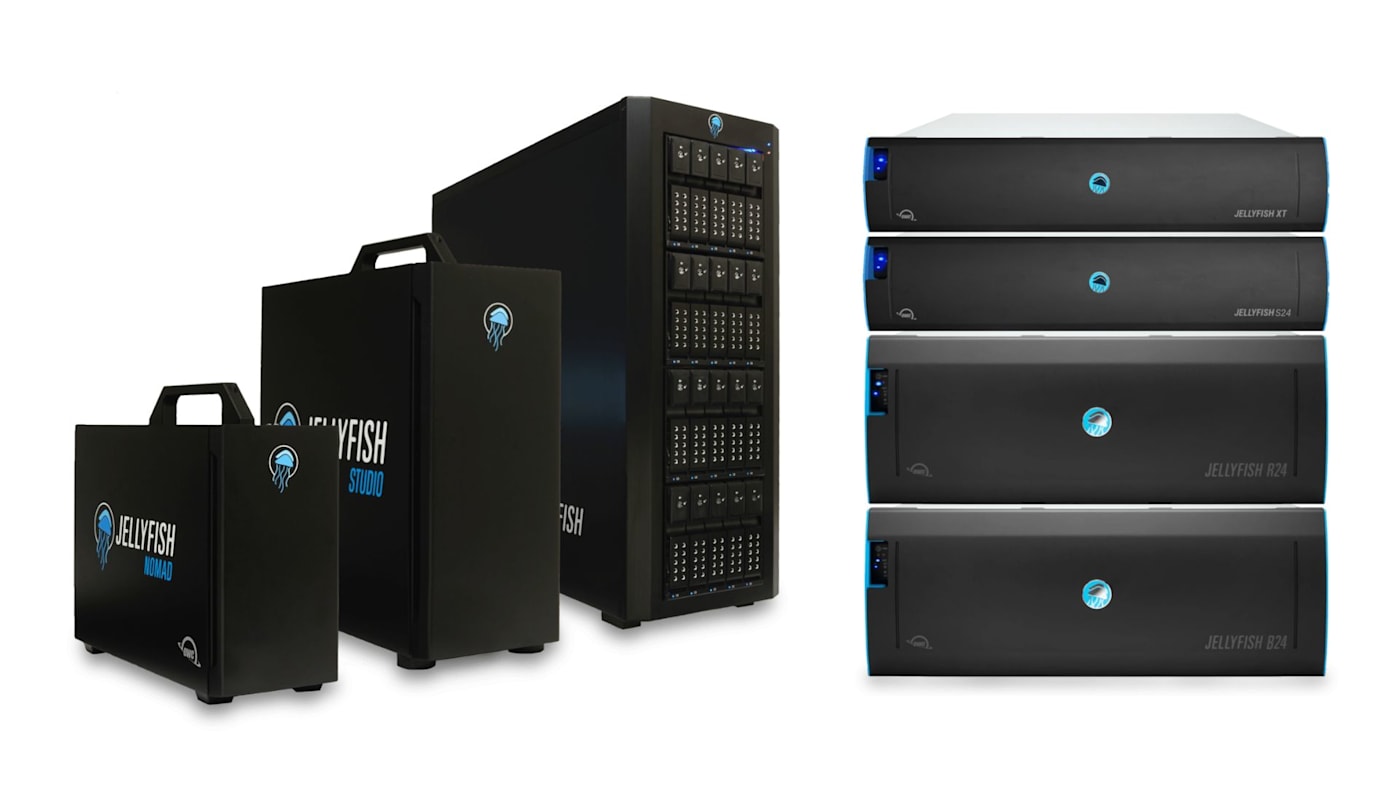
The OWC Jellyfish family is purpose-built for professional video production and creative teams that need shared access to large media collections and require sustained bandwidth across many simultaneous editors.
- Jellyfish Nomad: The fastest and smallest mobile NAS on the planet. Great for DITs and on-the-go editing teams needing portability. Can be configured with up to 64TB of NVMe flash storage, offers 6 10GbE ports.
- Jellyfish Studio: Best for teams of four to six editing 4K video. Can be configured with up to 128TB of SSD storage or 192TB of HDD storage. Offers 2x 10GbE ports with support for up to 14 direct connections.
- Jellyfish Tower: Best for growing teams of 16-plus editors and quiet enough for an edit bay. Can be configured with up to 480TB and offers 1/10/25/50GbE connections.
- Jellyfish R24: A rack-mounted solution for teams with the highest performance needs and an existing server room. Delivers up to 432TB capacity and connections up to 100GbE. Expandable with up to four R24-E units.
- Jellyfish B24: Best for smaller teams with large storage needs but lower bandwidth demands; also usable as a nearline backup target for any Jellyfish system. Offers up to 576TB of capacity, 1/10/25/50/100GbE connections, expandable via B24-E.
- Jellyfish S24: Best for media teams wanting the responsiveness of full flash storage with room to expand. Up to 384TB of SSD capacity, 100GbE, and expandable.
- Jellyfish XT: Best for large teams working in 4K, 8K, 12K, AR, or VR with mission-critical uptime. Up to 300TB all-flash, expandable to 1.5PB, 100GbE.
The Jellyfish Nomad and Studio are true plug-and-play systems built to get a small team running the same day. Jumping up to the Tower is the natural next step once a team outgrows Nomad or Studio but doesn’t need a server room. R24, B24, S24, and XT are OWC's enterprise rack-mount tier, differentiated mainly by whether the priority is raw HDD capacity (R24, B24) or all-flash performance (S24, XT).
Rather than approaching shared storage as just another IT appliance, Jellyfish combines high-performance storage with tools aimed at easy setup, management, and making creative workflows more efficient.
The Jellyfish Connect software helps compatible Mac and PC workstations connect to shared media folders. Jellyfish Manager provides centralized tools for administration, users, permissions, networking, and system health. Jellyfish Media Manager adds options for browsing, previewing, searching, and organizing media.
OWC Jupiter: NAS for Broader Business and Enterprise Needs
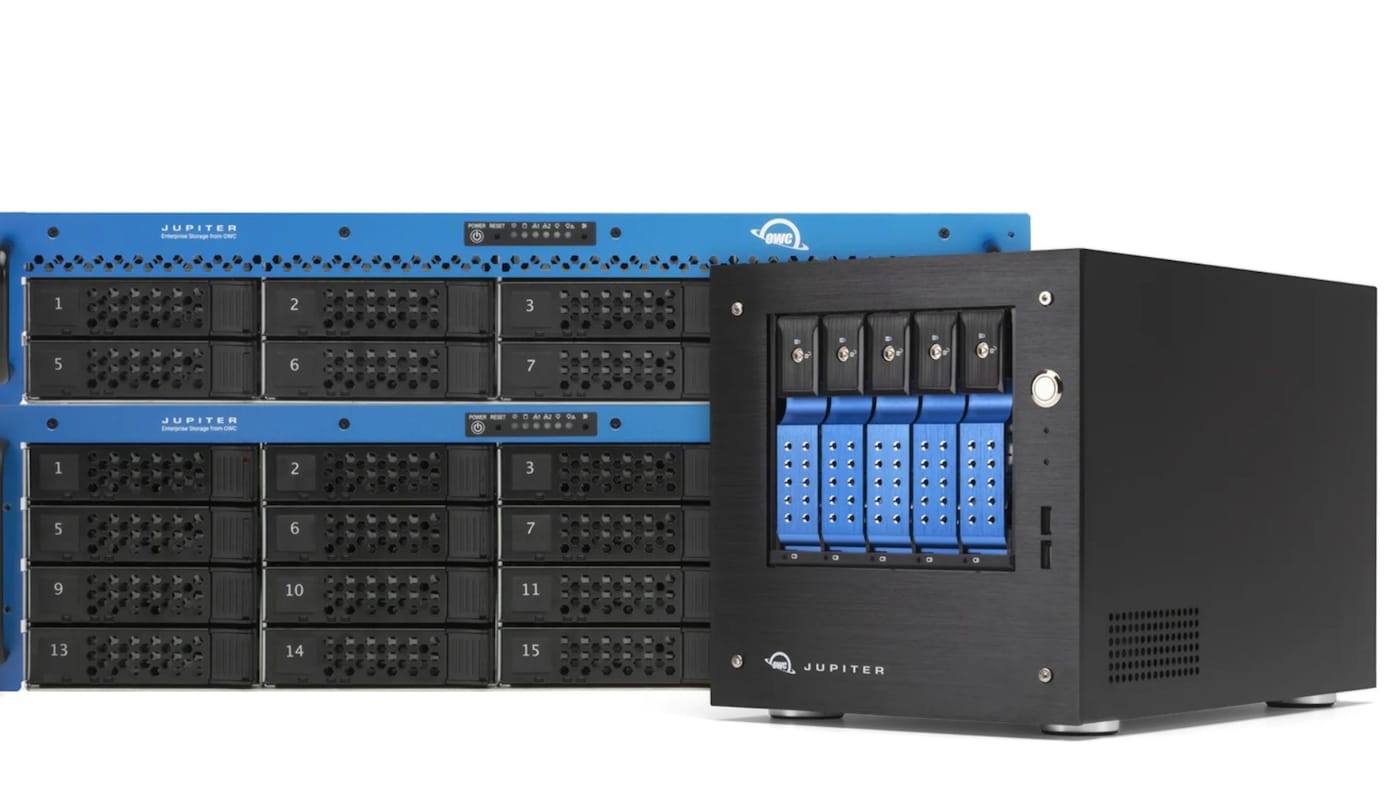
OWC Jupiter addresses commercial and enterprise NAS requirements, including scalable capacity, data integrity, and centralized administration. For businesses and organizations whose needs extend beyond video-production-specific collaboration, Jupiter provides another path to professionally managed network storage.
- Jupiter Mini is a five-bay desktop system offering up to 120TB of storage, two 10GbE and two 1GbE ports, enterprise-grade processing and ECC memory, and support for 50-plus users out of the box. Jupiter is aimed at small business, education, research, and creative media, where reliability and easy sharing matter most.
- Jupiter Callisto is the rack-mounted step up, built for larger organizations. Callisto can be configured as an 8-bay or 16-bay system with up to 320TB of internal storage, dual 10GbE (with 40GbE or 100GbE available), and support for 100-plus connected users.
- Callisto also expands well beyond its internal drives using Jupiter Kore, a Mini-SAS-connected expansion unit rather than a standalone NAS of its own. Up to seven Kore units can attach to a single Callisto system for a combined 2.5PB of centralized storage, added without downtime or data migration.
The right choice depends on your organization's users, applications, networking, IT requirements, and future growth. A team focused on collaborative editing may find Jellyfish the more natural starting point, while a business with broader storage and infrastructure priorities may be better served by Jupiter.
When Does Your Studio Need a NAS?
If one editor or photographer is the only person regularly working with a collection of files, a fast, directly attached OWC SSD or RAID enclosure may be the simpler, more economical choice. The main benefit of a NAS is its network-based accessibility. And there's no reason to add networking and centralized management if your workflow won’t benefit from them. For more information on whether a RAID is right for you, check out our full guide to RAID here.
But a NAS becomes increasingly compelling when multiple people need recurring access to the same project media, copying and shipping drives interrupts work, file versions become hard to track, or centralized permissions and management are becoming essential.
If shared access is becoming a bottleneck, explore OWC's NAS solutions and talk with our team about a Jellyfish or Jupiter configuration sized for your workstations, media formats, and growth plans.
Other topics you might like


OWC Express 1M2 vs. Express 1M2 80G: When to Step Up to 80Gb/s
Updated on Nov 2, 2026
How to Choose a Memory Card Reader For Faster Offloads
Updated on Oct 26, 2026
NVMe RAID vs. a Single External SSD: When Do You Need an Array?
Updated on Oct 19, 2026