 USA + International
 OWC Canda
 OWC Europe
How to Choose a Portable SSD: Speed, Interface, and Ruggedness Explained
The latest portable SSDs have a lot of speeds, specs, and terms floating around them. This guide is here to help you find the right drive for your needs quickly.
Wayne Grayson • Jul 10, 2026
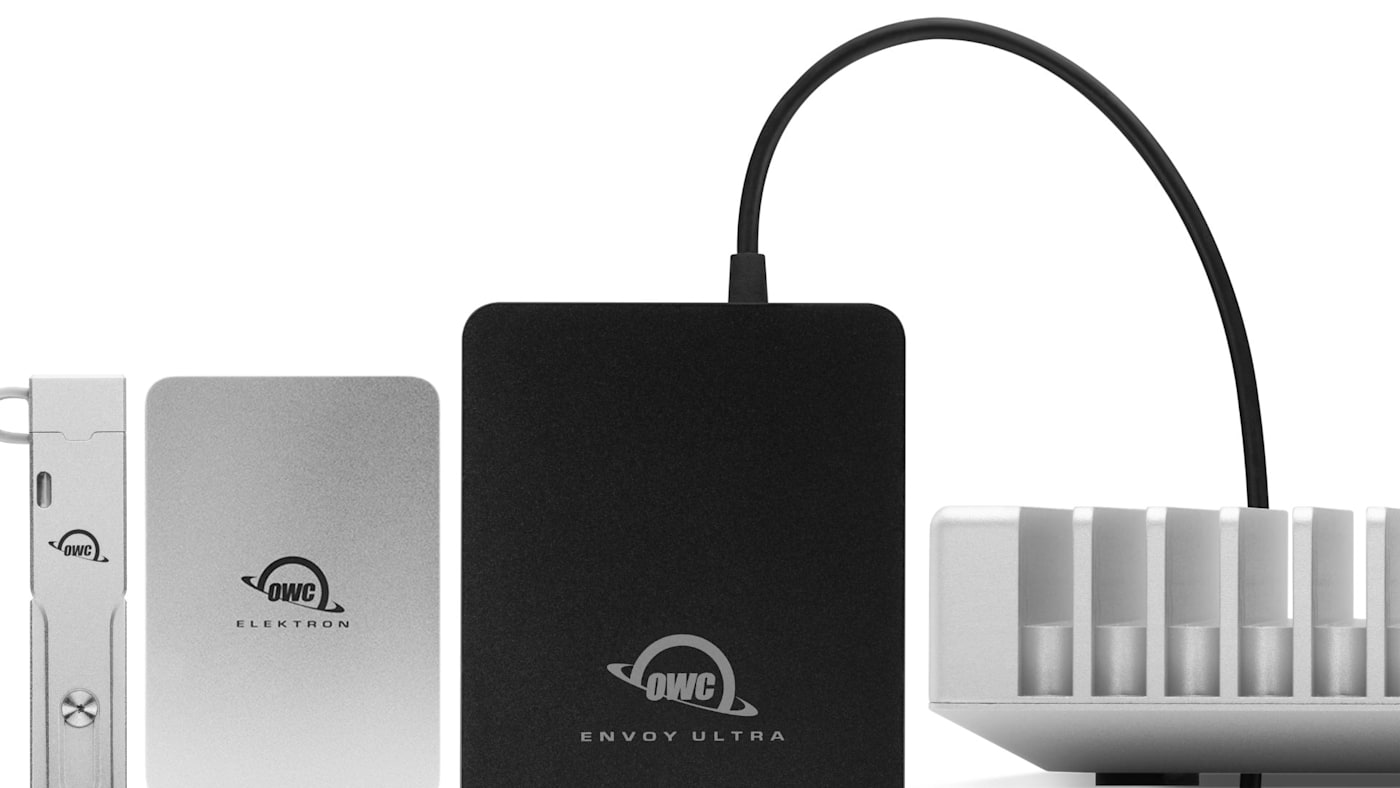
As portable SSDs have gotten faster and more compact over the years, they have become essential tools for photographers, videographers, audio professionals, and anyone who moves serious amounts of data between locations.
But as external drives have evolved from the large spinning hard drive-based bricks of the past, the range of options to choose from has also grown more complex. USB-C, Thunderbolt, NVMe, USB4, bus-power, IP ratings, real-world speeds versus spec sheet speeds — it takes a bit of time and research to understand which of all the terms and specs floating around these drives will actually impact your workflow for the better.
This guide is designed to help you cut to the chase. Here are the factors that actually affect external drive performance and reliability, and how to find the right drive for your needs.
"Bus-Powered" Is a Feature Worth Prioritizing
“Bus-powered” is a term that is often used but seldom explained. If you see this on a drive spec sheet or description it just means that the drive draws power entirely from the cable connecting it to your computer. There’s no power brick or wall outlet required.
A drive being bus-powered is really the most important aspect of a drive that makes it truly portable. Can you pack a drive that requires a power supply in a bag? Sure. Can you use it anywhere? Not if there's no power outlet nearby. And if you’re between shoots or in need of accessing something in the field, a bus-powered drive keeps you connected no matter what.
At OWC, the majority of our fastest drives, including the whole OWC Envoy lineup and our Express 1M2 and Express 1M2 80G drives, are bus-powered. That means you don’t have to choose between speed and true portability.
The Interface Is the Most Important Spec on the Page
The single biggest variable in portable SSD performance is the interface: the protocol running through the drive’s USB connector. There are four meaningful tiers in today’s market, and understanding them prevents both overpaying and under-buying.
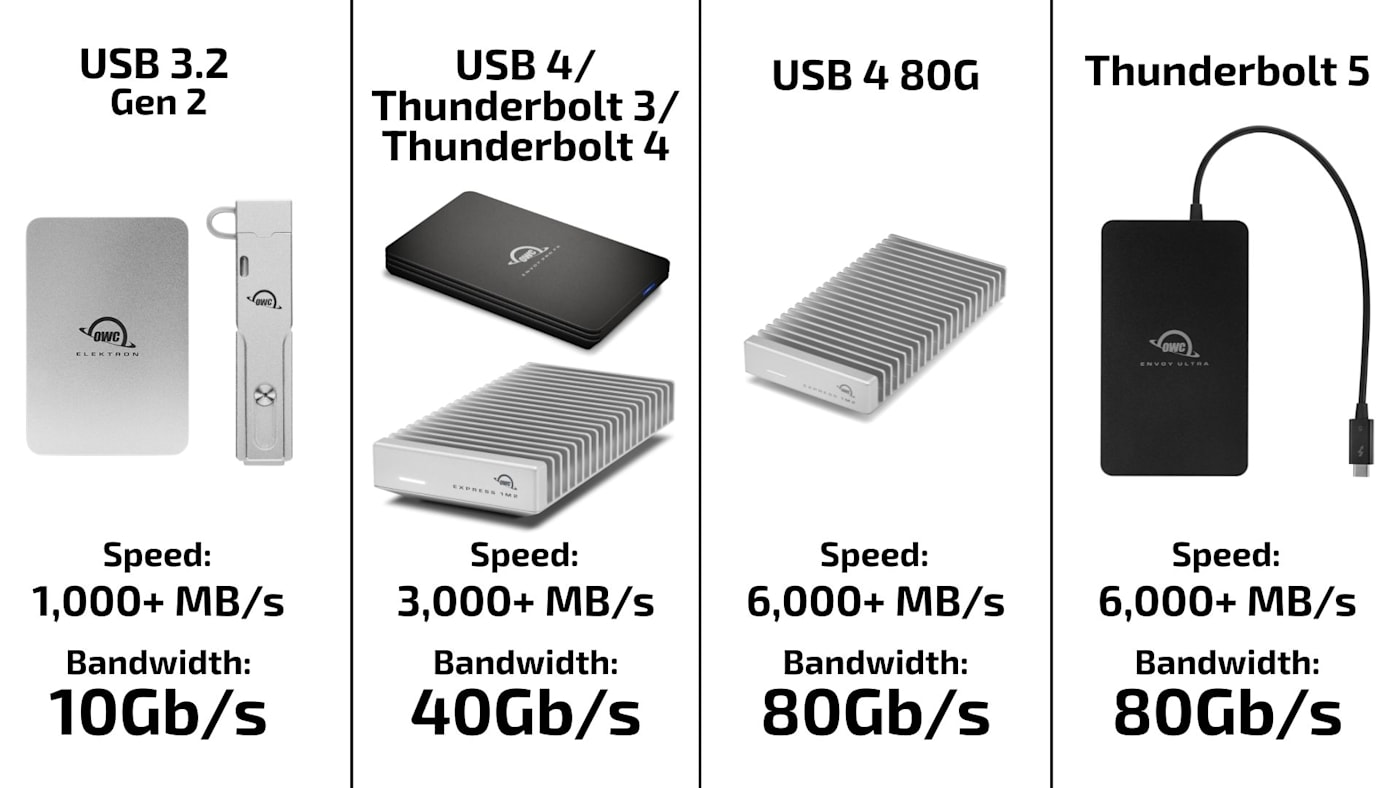
USB 3.2 Gen 2 (10Gb/s): The baseline for modern portable SSDs, delivering real-world speeds around 900–1,000MB/s. Fast enough for most workflows, including 4K video, large photo libraries, and ProRes recording from an iPhone. The OWC Envoy, Envoy Pro mini, and Envoy Pro Elektron are built on this tier: an NVMe drive in a clean aluminum enclosure that offers strong performance and excellent value for everyday creative and professional use.
USB4 / Thunderbolt 3 / Thunderbolt 4 (40Gb/s): While USB4 and Thunderbolt are two different standards — and Thunderbolt 3 and Thunderbolt 4 are two distinct versions of the Thunderbolt standard — they share the same physical USB-C connector and deliver similar real-world speeds ranging from approximately 2,700–3,000MB/s on the best drives. The OWC Envoy Pro FX operates in this range and does something unique: it is Thunderbolt-certified, meaning it will also operate at full Thunderbolt speeds on Thunderbolt-equipped computers, while remaining fully compatible with standard USB-C devices. One drive handles both environments without compromise. Another excellent choice in this tier is the OWC Express 1M2. This USB4 enclosure allows you to install your own M.2 NVMe SSD blades for a lower price point and easy upgrades.
USB4 80G (80Gb/s): A newer version of the USB4 standard that can access 80 Gb/s of bandwidth and speeds over 6000MB/s on compatible hardware. The OWC Express 1M2 80G reaches these speeds and is an excellent choice for users with a 2024 or later Mac or compatible PC who want performance similar to Thunderbolt 5 with the ability to fill or upgrade the enclosure with their own M.2 NVMe SSD blades.
Thunderbolt 5 (80Gb/s+): The current ceiling for portable storage. The OWC Envoy Ultra is the world’s first Thunderbolt 5 portable SSD, exceeding 6,000MB/s — matching the internal SSD speeds of the latest MacBook Pro models. This is the drive for professionals working with 8K cinema RAW, DPX/EXR sequences, or any workflow that demands editing directly off external storage at full machine speed.
An important note on port compatibility: your drive’s speed is capped by your computer’s port. A Thunderbolt 5 drive like the Envoy Ultra connected to a Thunderbolt 4 port will run at Thunderbolt 4 speeds — still very fast, but not the 6,000MB/s the drive is capable of. This makes high-tier drives an excellent investment if a computer upgrade is coming, since they’ll reach their full potential when the machine does.
Bandwidth vs. Speed: Why the Numbers Don't Match
When you're reading about portable SSDs, you'll see two types of numbers used almost interchangeably to describe the drive's performance: Gb/s and MB/s. The thing is, not only are these different units of measurement, they don't even measure the same thing. Confusing! Let's clear it up.
Gbps or Gb/s: (gigabits per second, indicated by the lowercase b) is how interface bandwidth is measured. When a spec sheet says a Thunderbolt 4 connection carries 40Gb/s, that's 40 gigabits per second. That number represents the total theoretical capacity of the pipe.
MBps or MB/s: (megabytes per second, capital B) is how drive speed is measured and how benchmarking tools like Blackmagic Disk Speed Test report real-world performance. Since there are 8 bits in a byte, you divide the interface bandwidth by 8 to find the theoretical drive speed ceiling in megabytes. e.g: a 40Gb/s Thunderbolt 4 connection has a ceiling of around 5,000 MB/s.
The thing is, just because a drive is Thunderbolt 4 doesn't mean it's going to reach that 5,000 MB/s ceiling. In fact, dives never reach their bandwidth ceiling in the real world. Protocol overhead, NAND controller limits, thermal management, and file system activity all take a cut. That's why a Thunderbolt 4 drive might benchmark at 2,700-3,000 MB/s rather than 5,000 MB/s. The real world speed is lower not because the drive or the interface is underperforming, but because real-world throughput is always lower than theoretical bandwidth.
The practical takeaway: when you see Gb/s that's the total pipe the drive can access. When you see MB/s, that's what the drive can actually do within it. Both numbers matter. but they're measuring different things.
Ruggedness: When It Matters and When It Doesn’t
Not every portable SSD needs to survive a monsoon. If your drive lives on a desk or travels with you for indoor use, a precision aluminum enclosure like the OWC Express 1M2 or Express 1M2 80G will deliver the speed you need while also being able to be tossed in a bag without issue.
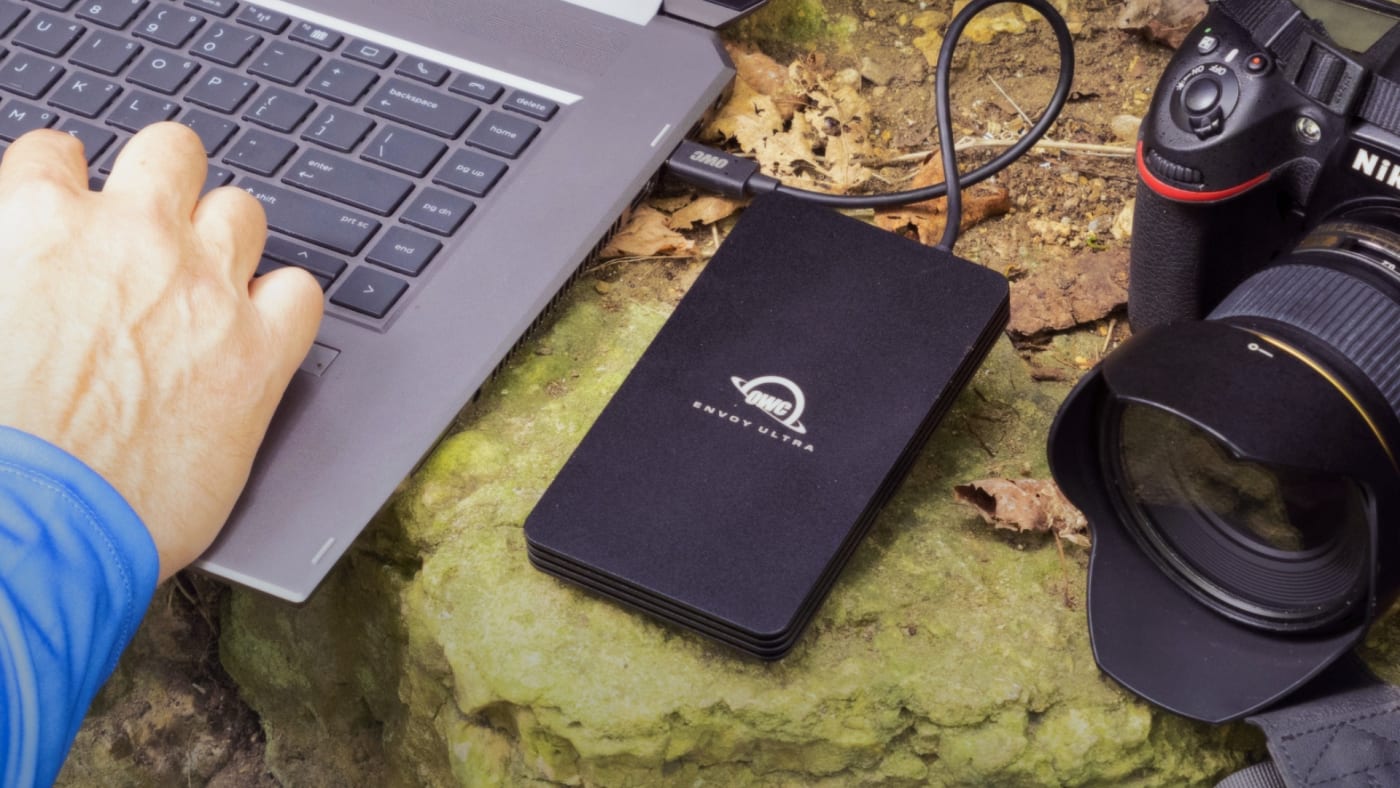
But if your work takes you outside and you go long stretches where the only copy you have of your images, footage, or files live on a single drive, at truly rugged drive with water-, dust-, and crushproofing becomes the best insurance against losing your work. And no one does rugged drives better than OWC. Rather than depending on bulky external bumpers, OWC's most rugged drives are engineered from the inside out to survive the harshest conditions imaginable from the heights of Mount Everest to the depths of the oceans.
The OWC Envoy Pro Elektron is the benchmark in this category. IP67-rated — dustproof and waterproof for up to 30 minutes at under one meter — and crushproof. In real-world testing it has been run over by vehicles and kept functioning. At barely larger than a set of AirPods, it is the most rugged pocketable SSD available. For field photographers, location audio engineers, and anyone working in unpredictable environments, the Elektron’s construction earns its price.
The OWC Envoy Pro FX raises the bar further, adding MIL-STD-810G military-level drop certification alongside IP67 weather resistance. For professionals who need both Thunderbolt-class performance and the ability to take a real beating, the Envoy Pro FX delivers both without asking you to choose.
And if you need the absolute highest speeds possible out of a rugged drive, the Thunderbolt 5-based OWC Envoy Ultra delivers speeds in excess of 6000MB/s. That’s more than double the speed of the Envoy Pro FX while still retaining an IP67 rating.
The DIY Option: When Building Your Own Drive Makes Sense
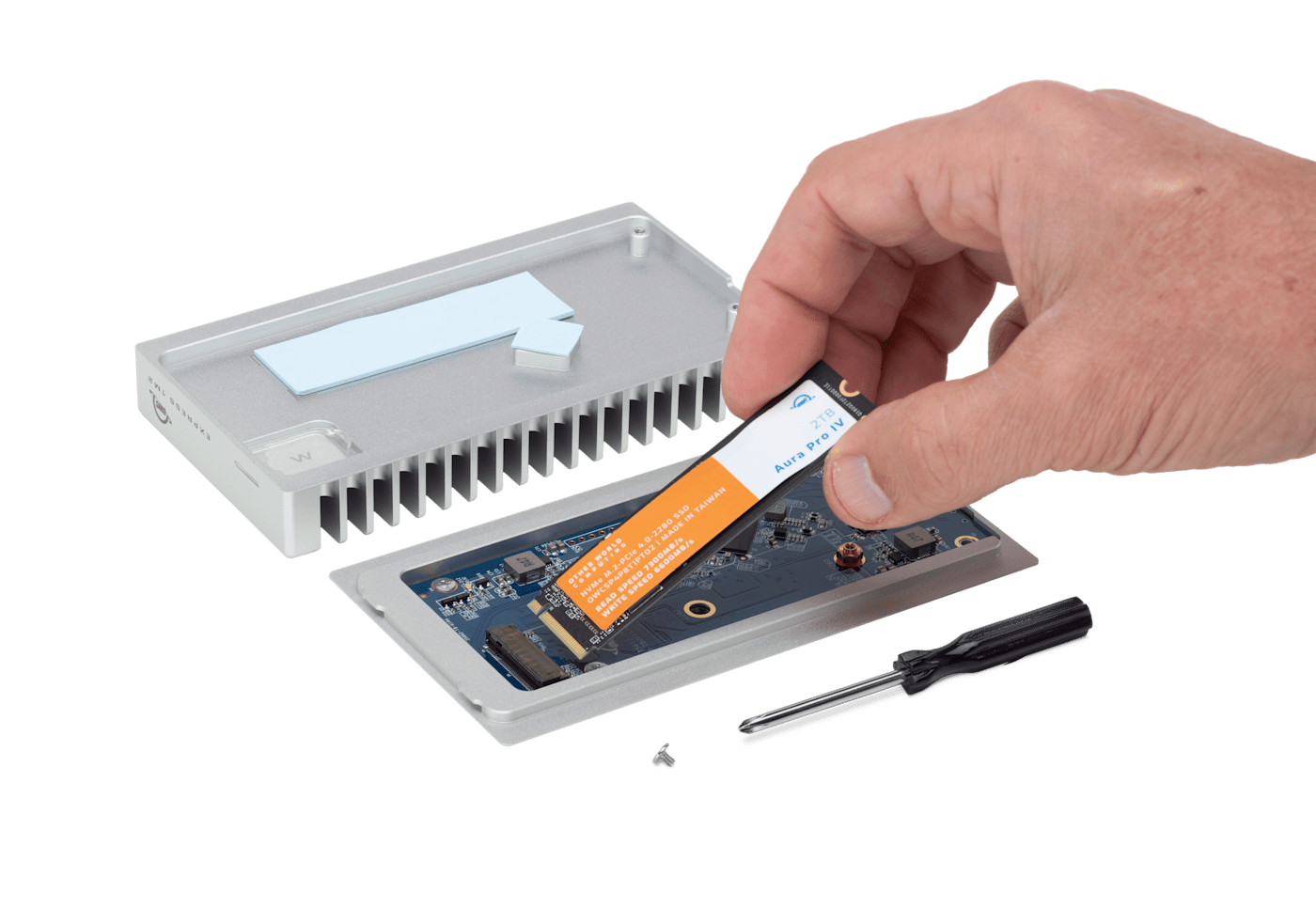
The OWC Express 1M2 lineup takes a different approach. Rather than sealed pre-built drives, these are M.2 NVMe enclosures that accept a blade SSD of your choosing. Available pre-configured or as an enclosure only, they appeal to IT professionals who regularly swap drives, Mac and PC owners repurposing an existing M.2 SSD pulled during an upgrade, power users who want direct control over the storage inside—and really anyone who wants to save money on a drive by filling it with blades they already own.
The practical advantages with Express 1M2 and Express 1M2 80G start with how much money you can save by buying an empty enclosure vs. a sealed drive. Plus, when a blade fills up, you can swap it out for more capacity rather than replacing the whole enclosure. The Express 1M2 80G also benefits from the latest USB4 80G speeds when paired with a compatible host and a fast M.2 Gen 4 blade, making it one of the most capable portable solutions available at its price point.
If you would rather buy a complete, plug-and-play drive or need more rugged specs, the Envoy line is the better choice. For those who appreciate the control, flexibility, and long-term cost efficiency of a modular approach, the Express 1M2 family is uniquely capable.
Matching the Drive to the Workflow
Here’s a practical decision guide to OWC portable SSDs:
- OWC Envoy and Envoy Pro Mini: Everyday portable storage for documents, backups, project files, and general use. (If pocketability or toteability are the most important factors, OWC Envoy Pro mini is a fully-featured SSD in the form factor of a thumb drive!)
- OWC Envoy Pro Elektron: Field and location work in physically demanding environments — the most rugged pocketable SSD available, IP67-rated and crushproof
- OWC Envoy Pro FX: The ruggedness of Elektron with 3x the speed. Perfect for mixed Thunderbolt and USB-C environments — up to 2,800MB/s with universal compatibility and MIL-STD-810G toughness
- OWC Envoy Ultra: Professionals working with 8K cinema formats, cinema RAW, or DPX/EXR who need to match internal SSD performance externally and need a drive that can survive a drop or unexpected storm.
- OWC Express 1M2 / 1M2 80G: Power users and IT professionals who want to bring their own M.2 blade or repurpose an existing drive in a high-performance enclosure
Other topics you might like


How NRG Recording Studios is Bringing its Historic Archive Into the Modern Era
Updated on Sep 22, 2026

OWC SoftRAID 9 Brings RAID 6 Protection to Mac and Windows, Introduces RAID 6+
Updated on Sep 21, 2026

How to Maximize Your New M5 Max and M5 Ultra Mac Studio: Storage, Docking, and Connectivity
Updated on Sep 16, 2026